Used Color Flashlight for Android?


Color Flashlight Analysis

AI Assisted Content ·

Not written by CNET Staff.

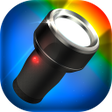
Color Flashlight is a free utility app designed for Android devices, focusing on providing a reliable and bright flashlight function. It offers users the ability to transform their smartphones into powerful flashlights, making it easier to navigate in low-light conditions or find misplaced items. The app is equipped with features that include adjustable brightness levels and a color light mode, allowing users to customize their lighting experience according to their needs.

Top Recommended Alternative

In addition to its core flashlight functionality, Color Flashlight is user-friendly, making it accessible for individuals of all ages. The app's interface is straightforward, ensuring that users can quickly activate the flashlight without complications. It is particularly useful for nighttime activities, emergencies, or simply illuminating dark spaces. Overall, Color Flashlight stands out as a practical tool for enhancing visibility in various situations.

Enlarged image for Color Flashlight
Color Flashlight 0/5

Used Color Flashlight for Android?


Explore More


Full Specifications

GENERAL
Release
Latest update
Version
3.9.5
OPERATING SYSTEMS
Platform
Android
Operating System
Android 15.0
POPULARITY
Total Downloads
458
Downloads Last Week
0

Report Software

Program available in other languages


Last Updated


Developer’s Description

By Notes
Turn your phone into a versatile flashlight with color flashlight & led light.
Turn your phone into a color flashlight, police light, disco light, candle and led banner. Have you ever tried to use your phone's screen or LED as a beacon of light, only to find it's just not bright enough? Turn your phone into a versatile flashlight with Color Flashlight app, the app that brightens up your phone's day and leads the way. Never be caught in the dark without a light again. [Color Flashlight HD LED improved design quality]. Light When You Need it, Where You Need itStuck outside with no street light? Color Flashlight app helps you out in the darkest of occasions. Use Color Flashlight to find the perfect seat in a dark theater, or find your way around when the power goes out at home. Color Your LightChange the color and brightness of your phone's screen to help guide you where you want to go. Choose from a full range of colors to find your favorite custom-made light. Make fun flashlight effects by tapping on the menu button and choosing effect, color, and brightness. Cool Custom EffectsHave your phone's screen simulate police light, candle light, a rainbow, a disco ball, and more. You can even use Color Flashlight to display your own personal message by typing in text, or host your own personal dance party with the built-in strobe light. Usage : Touch the screen to show/hide options. Features- Maximize screen brightness - Use camera LED as a torch (LED Torch Light) - Change color of flashlight- Flashlight app by color note developer. Effects- Normal Flash : Screen Color flashlight, - Camera Flash : Camera LED flashlight- Useful light effects (LED Electronic Sign) : Text, Scroll, Slide, LED Sign- Emergency light effects : Strobe light, Police light, Emergency light- Fun flashlight effects : Candle, Disco light, Rainbow, Blink, Spiral- Lovely effect : Heart, I Love You. User comment: Changing flat tire in 28�?�°WEATHER with no street light. Color flashlight app saved my life. Permissions- Camera, Flashlight : Camera flash, LED flashlight, LED Light- Internet, Access Network State : Admob ads. Disclaimer: Strobe light can cause epileptic seizures in some people with history of epilepsy. Do not point to the face when the flash light is in strobe mode. Turn your phone int a color flashlight. It helps find your way in the theater is that you keep stepping on. Find your keys in the dark. Dance with strobe light in a club.

Download.com
Your review for Color Flashlight
Download.com

AI Assisted Content Disclosure

Content created and reviewed by Softonic with information obtained from Notes, using AI.

CNET's editorial team was not involved in the creation of this content. Opinions, analysis and reviews were not provided by CNET.