Used Chinese Keyboard with English letters for Android?


Chinese Keyboard with English letters Analysis

AI Assisted Content ·

Not written by CNET Staff.

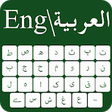
Desh Chinese Keyboard is a versatile Android application designed for typing Simplified Chinese using English letters. This utility simplifies the process of Chinese input by allowing users to type phonetically in English, which is then converted into Chinese characters. The app supports word suggestions, making it user-friendly and efficient for communication in Chinese, especially in messaging apps and social media platforms. Additionally, it includes features like customizable themes and an emoji bar for enhanced user experience.

Installation and setup are straightforward, requiring users to enable the keyboard through the app settings. Users can easily switch between English and Chinese with a language button. The app prides itself on being ad-free and does not collect personal data, fostering a secure environment for users. The anonymous data collection aims to improve functionality while maintaining user privacy.

Enlarged image for Chinese Keyboard with Eng…
Chinese Keyboard with English letters 0/3

Used Chinese Keyboard with English letters for Android?


Explore More


Full Specifications

GENERAL
Release
Latest update
Version
17.0.4
OPERATING SYSTEMS
Platform
Android
Operating System
Android 15.0
POPULARITY
Total Downloads
53
Downloads Last Week
0

Report Software

Program available in other languages


Last Updated


Developer’s Description

Chinese Keyboard lets you type in English characters which gets instantly converted to Simplified Chinese using phonetics.

Chinese Keyboard lets you type in English characters which gets instantly converted to Simplified Chinese using phonetics.

Typing with this Chinese keyboard is the fastest way to type - you don't need any other Chinese input tools. It works inside all applications on your phone - no more copy-paste! Supports 21+ colorful themes with easy settings, this is the trendiest way to type Chinese letters on Android, and the easiest Chinese typing keyboard!

Chat with your friends and family in your native language - use native Chinese text on Whatsapp, Facebook or any other app on your phone like a regular keyboard.

How to start Chinese typing using this Chinese Keyboard:

1. Open Chinese Keyboard from your apps after installing

2. Enable and choose Chinese Keyboard as your default keyboard.

3. Customize settings and choose from 21 amazing themes

4. Start typing Chinese language everywhere!

Start typing in English and choose Chinese word suggestions for what you're typing. Offline support coming soon. Works on Android phones and Android tablets. Simple to use with touch screen Chinese text typing from phonetic transliteration using this keyboard.

- Chinese keypad, Chinese layout and Chinese mobile keyboard in all your applications

- Easy swith to English or Chinese text as you need. Turn off Chinese when you don't need by using the language button.

- Emoji's are supported: hold on the 123 number button and you'll get a list of smileys. There are 3 pages from which you can choose what you need from the Chinese smiley keyboard..

- Color themes can be changed from the settings page. Look for Chinese keyboard in your apps to access this.

No more typing with slow manual keyboards - this is the best Android Chinese Transliteration Keyboard that is free, fast, effortless and easy to use.

No personal information or credit card details are collected. We store anonymous statistics may be shared to improve your experience - share your suggestions at apps@clusterdev.com

Please leave great feedback - it helps us keep going!


Download.com
Your review for Chinese Keyboard with English letters
Download.com

AI Assisted Content Disclosure

Content created and reviewed by Softonic with information obtained from Desh Keyboards, using AI.

CNET's editorial team was not involved in the creation of this content. Opinions, analysis and reviews were not provided by CNET.