
CDtoMusic for Windows
- By OneKeySoft
- Trial version
- User Rating
Used CDtoMusic for Windows?
Editors’ Review
Download.com staff
Top Recommended Alternative

Pros
- Supports MP3, APE, WAV, FLAC, and OGG formats.
- Extracts specific portions of CD tracks.
- Includes MP3 ID3 tag support.
- Allows setting bitrate for MP3 and OGG.
- Features a handy and nice-looking interface.
Cons
- No mention of batch processing capabilities.
- Does not explicitly state support for other lossless formats.
- No information on built-in audio editing features.
- No mention of multi-disc album handling.
Explore More

Sponsored
Adobe Stock
Trial versionShark DVD Any Ripper
PaidEase DVD to MP3 Ripper
Trial versionShark Video DVD Audio Ripper
Trial versionMy YouTube Converter
Trial versionShark Video Converter Gold
Trial versionPPTonTV Pro
Trial version
MediAvatar iPad Transfer
Trial version
BeeThink MP3 WMA OGG WAV Converter
FreeAglare MP3 AAC AC3 AMR Converter
Trial versionMP3 Surround Gui-Encoder
Free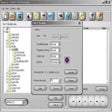
DART CD-Recorder
Trial version











