Used Card Sorting for iOS?
Card Sorting Analysis
AI Assisted Content ·
Not written by CNET Staff.
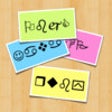
Card Sorting is a free utility app designed for iPhone users, aimed at enhancing the organization of thoughts and ideas. This tool allows users to create virtual cards that can be easily sorted into groups, making it ideal for brainstorming sessions, project planning, or any scenario where categorization is beneficial. The app supports intuitive drag-and-drop functionality, ensuring a user-friendly experience when rearranging cards to achieve optimal organization.
Top Recommended Alternative
In addition to its sorting capabilities, Card Sorting provides customizable options for card creation, including the ability to add titles and descriptions. Users can also share their card sets with others, facilitating collaboration and feedback. Overall, this app serves as a practical solution for individuals and teams looking to streamline their workflow and improve clarity in their projects.
Explore More

DMM.com
Free
Smoothies from Whole Living
Paid
ColorColl - Color Picker/Capture/Inspector/Collect Apps From Photo/Image/Picture -
Free
New Holland Agriculture My Shed powered by Partstore
Free
Week Menu - Plan your cooking with your personal recipe book - iPhone Edition
Paid
Sighthound Video
Free
SAT Viewer Pro
Free
Futurart shop
FreeDanabridge
FreeUltraConnect
Free
Giri -The RPM Checker-
Free
Malayalam keyboard for iPhone Turbo
Paid