Used Canada Topo Maps Pro for Android?


Canada Topo Maps Pro Analysis

AI Assisted Content ·

Not written by CNET Staff.

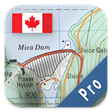
Canada Topo Maps Pro is a specialized mapping application designed for outdoor enthusiasts and travelers exploring Canada's diverse landscapes. It provides detailed topographic maps that include contours, elevation information, and natural features, making it suitable for hiking, camping, and other outdoor activities. The application supports multiple languages, including English, German, and French, catering to a broad user base. Users can download maps for offline use, ensuring accessibility even in remote areas without cellular service.

Top Recommended Alternative

This application is compatible with Android devices running version 9.0 and above. With its latest version being 5.5.0, Canada Topo Maps Pro offers a user-friendly interface that enables easy navigation and map management. It is tailored for those who require precise geographical data for planning and executing outdoor adventures, providing essential tools for route tracking and waypoint marking.

Enlarged image for Canada Topo Maps Pro
Canada Topo Maps Pro 0/3

Used Canada Topo Maps Pro for Android?


Explore More


Full Specifications

GENERAL
Release
Latest update
Version
5.7.0
OPERATING SYSTEMS
Platform
Android
Operating System
Android 9.0
POPULARITY
Total Downloads
84
Downloads Last Week
2

Report Software

Program available in other languages


Last Updated


Developer’s Description

Easy to use outdoor/offline navigation app with the best topographic maps of Canada.

Easy to use outdoor/offline navigation app with the best topographic maps of Canada.

This app gives you similar mapping options as you might know from Garmin or Magellan GPS handhelds.

*** Attention: Please use Toporama or Canada Base Map layer if you need most recent topo maps ! ***

Main features for outdoor-navigation:

- Bulk-download of map tiles for OFFLINE USAGE (not for Google and Bing maps)

- Create and edit Waypoints

- GoTo-Waypoint-Navigation

- Create and edit Routes

- Route-Navigation (Point-to-Point Navigation)

- Track Recording (with speed, elevation and accuracy profile)

- Tripmaster with fields for odometer, average speed, bearing, elevation, etc.

- GPX-Import / Export, KML-Export

- Search (placenames, POIs, streets)

- Customizable datafields in Map View and Tripmaster (e.g. Speed, Distance, Compass, ...)

- Share Waypoints, Tracks or Routes (via eMail, Facebook, ..)

- Use Coordinates in UTM, WGS84 or MGRS

- and many more ...

Available map layers:

- Topomaps Canada (CanMatrix, seamless coverage at scales 1:50.000 and 1:250.000)

- Toporama Maps Canada (CanVec, NTDB, Atlas of Canada)

- Canada Basemap (CanVec, NTDB, Atlas of Canada)

- CanTopo (new Canada topos at 1:50.000, partial coverage of Can)

- Google Maps (Satellite images, Road- and Terrain-Map)

- Bing Maps (Satellite images, Road-Map)

- Open Street Maps (OSM Mapnik and Cloudemade Cyclemap)

- Hillshading overlay layer for OSM, Google, Bing or Toporama maps

Toporama Maps Canada: These are the most recent topographic maps of Canada. Can be enhanced with hillshading overlay.

Topomaps Canada: These maps contain many small pathes and 4WD tracks that are missing in Toporama, Google, Bing and OSM maps. This layer is essential for real outdoor and offroad trips in Canada. Seamless mosaic of more than 13.000 collar clipped 1:50.000 maps.

Use this navigation app for outdoor activities like hiking, biking, camping, climbing, riding, skiing, canoeing or offroad 4WD tours.

Preload FREE map data for areas without cell service.

Canadian topographic maps are enhanced with Atlogis hillshading and placenames.

Credits for topographic map data: "(c) Department of Natural Resources Canada. All rights reserved."

Please send comments and feature requests to canadamaps@atlogis.com


Download.com
Your review for Canada Topo Maps Pro
Download.com

AI Assisted Content Disclosure

Content created and reviewed by Softonic with information obtained from ATLOGIS Geoinformatics & KG, using AI.

CNET's editorial team was not involved in the creation of this content. Opinions, analysis and reviews were not provided by CNET.