Used Book eLibrary for Android?
Book eLibrary Analysis
AI Assisted Content ·
Not written by CNET Staff.
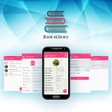
Book eLibrary is a free Android application designed for users seeking an efficient way to manage their personal book collections. The app features a user-friendly interface that is both clean and modern, ensuring that users can navigate its functionalities with ease. It is compatible with a wide range of Android devices, making it accessible to a large audience. Key features include an effective issued book tracker that helps users keep tabs on borrowed titles, along with data backup and restoration capabilities for added convenience.
Top Recommended Alternative
The application emphasizes an intuitive design, allowing users to quickly familiarize themselves with its tools without a steep learning curve. Users can efficiently manage their reading habits and book inventories, making it a valuable utility for avid readers and collectors alike. With a focus on enhancing the user experience, Book eLibrary invites feedback to continually improve its offerings.
Used Book eLibrary for Android?
Explore More

BBW Proxy
Free
Shake Flashlight Torch
Free
Mandolin Tuner - Free & accurate mandolin tuner
Free
Map for Conan Exiles
Free
DustSift Clean
Free
YH Photo Manager
Free
Tool for ARK Survival Evolved
Free
Call Recorder ACR: Record both sides voice clearly
Free
Invisiblock
Free
Clap Ring To Find Phone
Free
SHEGER PRO
Free
Starlit Download
Free