Used Best Clock Radio Alarm and Weather for iOS?


Best Clock Radio Alarm and Weather Analysis

AI Assisted Content ·

Not written by CNET Staff.

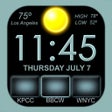
Best Clock Radio Alarm and Weather is a versatile multimedia application designed to enhance users' waking and sleeping experiences. It features programmable podcast access, allowing users to easily play their favorite shows, and offers a customizable interface with nine programmable radio buttons for quick access to preferred stations or playlists. The app supports a broad range of global radio stations and even allows users to add custom streaming URLs, making it a comprehensive solution for audio entertainment.

In addition to its media functionality, the app includes five customizable alarms with varied sounds and settings. Users can program alarms to activate at specific times, even syncing with their favorite radio shows. The built-in weather feature provides real-time forecasts, including current temperatures and a six-day outlook. With its user-friendly design and stability, Best Clock Radio Alarm and Weather stands out as an effective tool for those looking to integrate multimedia into their daily routines.

Enlarged image for Best Clock Radio Alarm an…
Best Clock Radio Alarm and Weather 0/1

Used Best Clock Radio Alarm and Weather for iOS?


Explore More


Full Specifications

GENERAL
Release
Latest update
Version
8.9.6
OPERATING SYSTEMS
Platform
iOS
Operating System
iOS 16.4
POPULARITY
Total Downloads
26
Downloads Last Week
0

Report Software

Last Updated


Developer’s Description

Your app is outstanding - by far the best radio alarm clock app available.
''Your app is outstanding - by far the best radio alarm clock app available. " David Riviello. "By far the most usable clock radio available anywhere". Jay Adams. For the alarm to work properly you must allow notification to be sent from the app, For Radio to be used as an alarm Best Clock Radio must be open, closing the app will cause a backup alarm to sound. AutoDim feature dims the screen automatically at night so it is not too bright and brightens it up again in the morning. The second version of our much loved Beautiful Clock Radio but with a modern look and now 8 programable radio buttons (9 on the iPhone) to store your favorite Radio Stations, Music Library Playlists or Soothing Sound. See our website for demo videos and support link. www.BeautifulClockRadio.com. Radio stations from al over the world, US, UK, Australia, Dutch, Netherlands, Norway, New Zealand, SKY. fm, Switzerland, Germany, Ireland, Canada, Spain, South Africa, Germany, Serbia, Sweden, Ukraine. 5 Alarms allow you to program 5 different alarm times and sounds, With this feature you can trigger the radio to turn on when your favorite show starts. Radio, touch and hold a radio button to program it to your favorite Playlist, Soothing sound, or internet streaming radio station. There are over 40, 000 stations available, or you add your own URL. It takes mere seconds to program a button and you can continue to listen to your music in the background when the app is closed. The weather shows the current weather forecast, swipe to the left and you get a 6 day forecast Swipe again to go to the weather underground web site. Swipe to the right and turn the weather display off. Best Clock Radio is stable and reliable and very easy to use. Best Clock Radio features: AutoDim. One touch radio. Auto Sleep. Very easy to use, stable and reliable. 5 easy top set alarms. Wake up to radio, music or one of the 32 included alarm sounds. AutoSleep button turns the radio off after a set time. Select from 12 hour and 24 hour mode. 8 programmable buttons for internet streaming radio station (9 programmable buttons iPhone). Thousands of Shoutcast, U. S. and World Radio stations. Soothing sounds to help you sleep. URL option Allows you to program a streaming radio URL to a button. Contact support for any questions or help.

Download.com
Your review for Best Clock Radio Alarm and Weather
Download.com

AI Assisted Content Disclosure

Content created and reviewed by Softonic with information obtained from I Hate my Clock Radio, using AI.

CNET's editorial team was not involved in the creation of this content. Opinions, analysis and reviews were not provided by CNET.