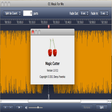
Audio In is a simple recording program with an oscilloscope view of the audio input, volume operated recording ('VOX' recording) and scheduled recording. Audio In can record from any CoreAudio compatible audio input device.
This review was originally posted on VersionTracker.com.<br />Audio In allows me to listen through my G5 speakers as I edit recordings on my minidisc recorder (MZR-5ST, which has optical in/out ports). I run an optical line out from my minidisc into my G5's optical in port.
Before, I had to use headphones plugged into my minidisc, and they never seem to be around when I need them! I do a lot of recording for language learning on a minidisc recorder.
There are other applications that I have which do this, by the way, like Amadeus II. However, Audio In is nice and small and easier to set up and use for play through. And it's free!
Thanks!!
wonderful program!
uncle_kyle
Pros
Cons
Summary
This review was originally posted on VersionTracker.com.<br />This program is small, elegant, and does its job admirably. I was able to download and start it up within minutes. The user's manual is a quick read because the program is intuitive.
I was not able to get VOX working for recording my old cassettes (you know, the old plastic thingys that came after records but before CDs), but this is probably because they're quite noisy and it might have worked better if I'd played with the settings some more. As it is, I had about 5-6 hours of old music practice and some 4-track stuff that I just wanted to archive. As others have noted, all you have to do is play the material in (for me, just played a whole cassette) and press stop then record again after each song is over. It'll record each one to a new file, you can tell it where to put the recordings, and you can even tell it the name you want it to give everything (calls it "Recording1.aiff" then "Recording2.aiff" if you leave the default name of "Recording").
The program's layout is great, the sound is clean and the oscilloscope helps with seeing the levels. I adjusted audio input level using apple's "Sound" settings from the System Preferences tool - I don't think this program lets you adjust input levels. But it was easy enough to leave both the preferences tool and this recorder on the screen while working.
Awesome program!!!
Does the trick & free
IWByte
Pros
Cons
Summary
This review was originally posted on VersionTracker.com.<br />I also wanted something that did play-thru on audio - I wanted my daughter to be able to sing along with iTunes, and this works great- thank you!
Perfect!
superberg
Pros
Cons
Summary
This review was originally posted on VersionTracker.com.<br />Just what I was looking for! All I wanted was to enable Audio-in playthrough. Glad I didn't have to shell out cash for something that has otherwise always been a part of the Mac OS.
Simple, Reliable, and FREE
Karl Hungus--2008
Pros
Cons
Summary
This review was originally posted on VersionTracker.com.<br />This little app saved me in the clutch. Dont let its basic looking features fool you, it is all business. I needed a program that could import files from a diverse array of sources as 32 bit Stereo files and I was happy to find this one out there.
I also dig the spectroscope ... its kind of groovy and like everything else with this lil app, it serves its purpose. There is no flash with this, and yet its not goofy either. Very easy to use and extremely intuitive to work with.
5 stars from me, two thumbs way up ...
This is it
dunno
Pros
Cons
Summary
This review was originally posted on VersionTracker.com.<br />It is simple and it always works. It saves immediately upon hitting the <b>stop</b> button so you can immediately start another file if you're recording a long meeting that you want to break into CD-size chunks, for instance.
Simple is always best
Freuds_cat
Pros
Cons
Summary
This review was originally posted on VersionTracker.com.<br />This app is great. So clean and simple without the bells and whistles it just does what you need it to do. Version 1.0.2 was a bit annoying with the High input crashes but I found increasing the buffer size usually sorted this out, this issue irrelevent now in version 1.0.3
Simply wonderful
kpm
Pros
Cons
Summary
This review was originally posted on VersionTracker.com.<br />Very simple. Very easy to use. Worked immediately with Internal Microphone, Line In, and an iMic. VOX features are very nice... great timesaver since I don't need to manually divide files up anymore.
Simple, easy, beautifull
Jean-Claude JESIOR
Pros
Cons
Summary
This review was originally posted on VersionTracker.com.<br />Thank you.
AWESOME!
znapPe
Pros
Cons
Summary
This review was originally posted on VersionTracker.com.<br />This beats Audiocorder hands down! -Even if the 2 apps were both shareware, and had the same price! I LOVE this app, and I LOVE the developer for making it free!! Needs a better discription here on the frontpage of versiontracker though. It would be great if it mentioned the VOX capability. Perhaps in an even flatter newbie phrase than; "VOX capability support." (Or similar..)