Used Attensa for Outlook for Windows?


Editors’ Review

Download.com staff
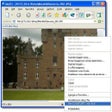
Attensa for Outlook integrates RSS news feeds and podcast content directly into Microsoft Outlook. It offers an Outlook-based reader, a browser toolbar for feed management, and blog publishing capabilities, streamlining content consumption and sharing.
  • Pros

    • Integrates seamlessly within Microsoft Outlook.
    • Delivers up-to-the-minute RSS news and podcast content.
    • Organizes all content into dedicated Outlook folders.
    • Includes browser toolbar for simple feed management.
    • Automates podcast loading into media player playlists.
  • Cons

    • Toolbar functionality supports only Firefox and Internet Explorer.

Used Attensa for Outlook for Windows?


Explore More


Full Specifications

GENERAL
Release
Latest update
Version
1.2
OPERATING SYSTEMS
Platform
Windows
Operating System
  • Windows 10
  • Windows XP
  • Windows 2000
Additional Requirements
Windows 2000/XP, Microsoft Outlook 2000
POPULARITY
Total Downloads
1,470
Downloads Last Week
18

Report Software

Program available in other languages


Last Updated


Developer’s Description

Place RSS news feed headlines and Podcast content to your Web sites and blogs.

Attensa for Outlook works inside Microsoft Office Outlook to bring up-to-the-minute RSS news feed headlines and Podcast content from your favorite Websites and Blogs right into neatly organized Outlook folders. Now you can stay on top of RSS news and your favorite Blogs without all the surfing. Attensa for Outlook is the first RSS news reader and news aggregator for Outlook that lets you use a toolbar in your browser of choice, Firefox or Microsoft Internet Explorer, to easily add and manage RSS news feeds and subscriptions from Websites and Blogs.

And, it automatically loads audio Podcast files into iTunes and Windows Media Player playlists. With Attensa for Outlook, you can even publish RSS articles, Emails, and other documents to your blog without leaving Outlook.


Download.com
Your review for Attensa for Outlook