Used Anime Sketch: Cute Drawing App for Android?
Editors’ Review
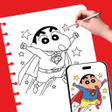
Anime Sketch: Cute Drawing App, created by Winnix, aims to bring digital guidance into everyday paper sketching for anime and manga practice. The app projects templates through an Android device camera and offers on-screen tracing, photo-to-sketch conversion, and time-lapse recording to capture sessions. With more than 500 templates and step-by-step tutorials, it targets teenagers, beginners, and hobbyists seeking approachable, guided practice to improve proportions and style.
It turns casual sketch sessions into repeatable guided practice
The app reframes a kitchen-table doodle as a structured exercise by combining several drawing aids. AR tracing projects a template onto paper while an on-screen sketch mode lets users trace directly on the display; a photo-to-sketch converter prepares personal images for practice. Time-lapse recording captures the session, so hobbyists can review progress visually and share the creative process on social feeds.
Setup is simple, but depends on phone camera and storage
Daily use requires only an Android phone, a sheet of paper, and a stable phone stand or cup to hold the device, matching the developer's guidance that no special equipment is needed. The app requests camera access for AR features and storage access to import or export images, so initial permissions and a stable mounting method are the main setup steps to get started quickly.
Designed for beginners with visible, stepwise instruction
Templates and lessons aim to lower the barrier for new artists: the library includes hundreds of designs and step-by-step tutorials that break complex proportions into stages. Brightness controls and a built-in flashlight option improve visibility for tracing on paper, which helps younger users and novices follow lines without technical adjustments or prior training in drawing workflows.
Accurate tracing supports proportion practice, with clear privacy trade-offs
Projection and high-contrast outlines support learning accurate anime proportions, a point noted in user feedback praising the AR projection quality. The app stores or accesses images to convert photos and to record time-lapses, so users should expect camera and storage permissions. Compared with single-mode tracing tools, its dual-mode approach gives more practice options, and users report the interface is easy to use for hobbyist routines.
Pros
- AR projection and on-screen tracing offer flexible practice modes
- Over 500 templates and step-by-step tutorials support beginners
- Photo-to-sketch conversion lets users trace personal images easily
Cons
- Tracing-focused approach may not develop unaided observational drawing
- Requires camera and storage permissions for core functionality
- Reliant on stable mounting and lighting for accurate projection
Bottom Line
To sum up, a practical learning companion for guided practice
To sum up, Anime Sketch suits teenage beginners and hobbyists who prefer visual, guided learning and practice, as the tool explicitly targets those groups. It is less aligned with artists seeking purely observational, freehand-only study. A practical pro-tip: use a stable phone mount and consistent lighting to keep projections steady during repeated practice sessions.
Used Anime Sketch: Cute Drawing App for Android?