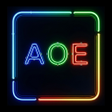
Used Always On Edge - Not Only LED! for Android?
Editors’ Review
Always On Edge - Not Only LED! from Alrbea Ent. is an Android personalization app that turns screen edges into notification lights and supplies an independent Always On Display. The app animates edge and notch lighting, offers a music visualizer, charging animations, and per-app color rules to signal alerts. It targets Android enthusiasts who want pixel-level control over on-screen notifications and lock-screen displays, rather than relying on missing hardware LEDs.
Top Recommended Alternative
The app replaces or augments the absent notification LED by using the display perimeter and lock screen as notification surfaces. It provides animated edge lighting, notch and camera hole illumination, and lock-screen charging animations, and it can act as an independent Always On Display. These behaviors make the screen itself the primary alert surface, rather than a supplemental icon or tray indicator.
What the app changes about your device display
How much customization control you actually get
The app emphasizes granular styling and per-notification rules, letting users set distinct colors and animations per app, contact, or account. Customization includes:
- solid colors, gradients, and moving border effects
- per-app color assignment and priority alerts
- a reminder feature that repeats lighting until acknowledged
That depth supports detailed visual policies but increases configuration time for newcomers.
Does the app noticeably affect battery life and performance?
The app uses screen lighting and can consume extra power during active edge or AOD use, a behavior noted by users. It includes optimization controls such as eco mode and time-based restrictions to reduce runtime impact. Those options let power-conscious users limit activity during low battery or set quiet hours, shifting trade-offs between persistent visuals and energy use.
Is it practical to set up and is it compatible with varied hardware?
Setup requires granting display and notification permissions and adjusting many visual parameters, which produces a learning curve for less technical users. The app adapts to complex hardware designs, offering settings for notches, hole-punch cameras, and curved edges. Full feature support depends on recent Android builds and specific device behaviors, so some advanced options may be unavailable on older or heavily modified phones.
Pros
- Per-app color and animation assignment for distinct notifications
- Functions as a software Always On Display substitute
- Lighting adapts to notches and hole-punch camera cutouts
- Music visualizer syncs lighting to currently playing audio
Cons
- Complex settings create a steep learning curve for new users
- Screen-based lighting can increase battery use without optimizations
- Full notch and AOD integration requires recent Android versions
Bottom Line
A suitable choice for customization-focused users who accept configuration effort
Given its feature density and reported battery implications, the app is best for enthusiasts who want precise control over screen-based alerts and are willing to invest setup time. Casual users who prefer minimal configuration may find the number of options burdensome. In practice, the app fits anyone seeking to replace missing hardware LEDs with a software-driven lighting and lock-screen approach.
Used Always On Edge - Not Only LED! for Android?
Explore More
Water Screen Keyboard
Free
Theme - Galaxy S6
Free
iMessenger for android
Free
Cyber Launcher -- Aris Hacker Theme
Free
Rockstar Fonts!
Free
Biohazard Samsung Edition [Substratum]
Paid
Indian Clock Live Wallpaper 2019 : Widget 3D Clock
Free
Galaxy S4 Rain
Free![Icon of program: [Substratum] StatusBar (+…](https://images.dwncdn.net/images/t_app-icon-s/p/7fb276cc-980d-4102-ac23-aa08495e866f/132287714/2072_4-77738862-icon.png)
[Substratum] StatusBar (+extra) for Samsung DONATE
Paid
LockClean Substratum Mod [Oreo] FREE
Free
Pixel Black Theme for LG V30 V20 G6 G5
Paid
Aurora theme for Samsung Galaxy Note 8 S8 S8+ S7
Paid











