Used Always on Display | Always on Amoled Screen - Edge for Android?


Always on Display | Always on Amoled Screen - Edge Analysis

AI Assisted Content ·

Not written by CNET Staff.

The Always on Display | Always on Amoled Screen - Edge application is designed for Android devices, providing users with a customizable always-on display feature. This utility allows for the incorporation of both digital and analog clock widgets, giving users multiple templates to personalize their device's screen. The app also features options to modify text, enhancing the unique appearance of the display. Additionally, it supports calendar events and notifications, ensuring that essential information is readily available without needing to unlock the device.

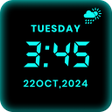
A notable highlight of this app is its large, bold digital clock, which is designed for easy visibility even from a distance. The AMOLED technology enhances the display quality, making it strikingly clear. Users can choose from a variety of color options to match their personal style, and the interface is designed for simplicity and ease of navigation. The ability to adjust clock size further personalizes the user experience, making it a versatile tool for anyone seeking to modernize their device's functionality.

Enlarged image for Always on Display | Alway…
Always on Display | Always on Amoled Screen - Edge 0/4

Used Always on Display | Always on Amoled Screen - Edge for Android?


Explore More


Full Specifications

GENERAL
Release
Latest update
Version
2.1
OPERATING SYSTEMS
Platform
Android
Operating System
Android 13.0
POPULARITY
Total Downloads
21
Downloads Last Week
0

Report Software

Last Updated


Developer’s Description

This is the best smart watch application if you have Always on Display | Super Amoled - Edge Lighting you dont need for smart watch.

This is the best smart watch application if you have Always on Display | Super Amoled - Edge Lighting you dont need for smart watch. Always on display clock is made possible thankfully by amoled. To save battery real time clock wallpaper stays your phone screen black except for a few pixels to show digital clock on screen.

The application also have a night clock view. have Always on Display | Super Amoled - Edge Lighting live device time with date on mobile screen with always On Amoled. Display picture clock, calendar clock, edge clock, edge lighting and picture clock with stickers.

It is a new cool way to maximize your screen on time by setting up the black background on your AMOLED home screen. What's going on your phone, simply take your mobile out of your pocket , just turn your face at mobile screen and enjoy all these feature of Samsung Galaxy S7 , Galaxy S7 edge, Galaxy S8 , Galaxy S9 and Galaxy S9 plus.

How to use:

1--- Open this app and start service by clicking on toogle button.

2--- Select clock type you want to show on your screen.

3---You can also select your picture clock.

4---Add memo text to always display on screen.

5---Easily change text and clock color.

6---Click apply.

Edge Lighting

Color effects will run around your screen when incoming calls or new notification arrive Popup alerts.

How to use:

Open this app and start service by clicking on toggle button.

Select clock type you want to show on your screen.

You can also select your Digital or Analog clock.

Add memo text to always display on screen.

Easily change text and clock color.

If you want edge light alert start edge lighting services also change edge light colors.

Click apply.

Always on Display | Super Amoled - Edge Lighting Features

Display time and date information on black screen wallpaper.

Display battery level.

Display notification.

Always on Display Digital clock

Notification enable and disable.

Analog and digital both clock supported.

Best collection of stylish and smart watch.

Change text color and style.

Change clock color.

Best clock design for both analog and digital.

Handle display during call.

Amazing music controller

Add memo text always display on screen.

Very easy to use.

All clock are free to download.


Download.com
Your review for Always on Display | Always on Amoled Screen - Edge
Download.com

AI Assisted Content Disclosure

Content created and reviewed by Softonic with information obtained from Global Keyboards 2020, using AI.

CNET's editorial team was not involved in the creation of this content. Opinions, analysis and reviews were not provided by CNET.