Used Alarm for Windows?


Editors’ Review

Download.com staff
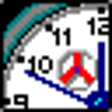
This application provides a basic digital alarm clock for your desktop. It offers multiple color options and straightforward alarm setting through Windows time adjustments.
Enlarged image for Alarm
Alarm 0/1
  • Pros

    • Multiple color options available
    • Simple alarm setting interface
    • Minimalistic design
    • Free to use
  • Cons

    • Relies on changing system time
    • Lacks advanced features like recurring alarms
    • No custom alarm sounds
    • Limited customization beyond color

Used Alarm for Windows?


Explore More


Full Specifications

GENERAL
Release
Latest update
Version
1.0
OPERATING SYSTEMS
Platform
Windows
Operating System
  • Windows 10
  • Windows XP
  • Windows 2000
Additional Requirements
None
POPULARITY
Total Downloads
212
Downloads Last Week
3

Report Software

Program available in other languages


Last Updated


Developer’s Description

Get a simple digital desktop alarm clock.
Alarm has a variety of colors are available in white, green, pink, grey, red, orange, yellow, and blue. To set your alarm clock's time, just change your Windows time at the bottom right corner of your screen. Double click in the time numbers, set the time and click OK. To set your alarm, just use the arrows at the bottom right to set the alarm hour, minutes and seconds.

Download.com
Your review for Alarm