
Used Airtoggle for Mac?


Airtoggle Analysis

AI Assisted Content ·

Not written by CNET Staff.

Airtoggle is a free Mac application designed for users looking to enhance their desktop experience with customizable screensavers and wallpapers. This utility allows users to easily switch between various screensaver options, providing a simple interface for managing their visual preferences. With Airtoggle, users can select from a range of built-in screensavers or upload their own images to create a personalized backdrop for their Mac.

Top Recommended Alternative
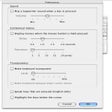
The app's functionality extends beyond mere screensaver management, offering features like automatic wallpaper changes and intuitive controls for adjusting settings. Airtoggle is compatible with various Mac operating systems, making it accessible for a wide range of users. Whether for aesthetic purposes or as a practical tool to prevent screen burn-in, Airtoggle delivers a user-friendly experience tailored to individual customization needs.


Used Airtoggle for Mac?


Explore More


Full Specifications

GENERAL
Release
Latest update
Version
1.0
OPERATING SYSTEMS
Platform
Mac
Operating System
  • Mac OS X 10.6
  • Mac OS X
  • Mac OS X 10.7
Additional Requirements
None
POPULARITY
Total Downloads
209
Downloads Last Week
0

Report Software

Program available in other languages


Last Updated


User Reviews

5/5

1 User Votes


Developer’s Description

Toggle AirPort Wi-Fi on your Mac with a hotkey.
Ever wanted to toggle Airport WiFi on your Mac with a hotkey? Airtoggle is for you. Airtoggle will allow you to toggle Airport WiFi as well as save precious space on the menu bar.FeaturesUser configurable hotkey for toggling Airport WiFi.OS X like OSD (On Screen Display).Option to launch at startup.Option to toggle Airport WiFi status in the menu bar.Mac OS X Mountain Lion Gatekeeper ready.

Download.com
Your review for Airtoggle
Download.com

AI Assisted Content Disclosure

Content created and reviewed by Softonic with information obtained from Axonic Labs, using AI.

CNET's editorial team was not involved in the creation of this content. Opinions, analysis and reviews were not provided by CNET.