Used AI Tattoo: Generate Try On for Android?
Editors’ Review
Transforms short text prompts into detailed tattoo visuals and overlays those designs onto user photos for virtual try-on, showing placement on different body parts. ZENTRIXA STUDIO TEAM's hobby app for Android pairs AI generation with AR-style previews. It includes an AI-powered generator, photo-based try-on, an inspiration gallery, design history, and custom concept creation to iterate styles such as traditional and minimalist. It fits tattoo enthusiasts and planners who want rapid concept exploration before visiting an artist.
Text prompts turn into multiple stylized concepts
The app converts user-written descriptions into several image concepts per prompt using its AI generator, so you get different visual directions from one idea. It explicitly supports styles including traditional, modern, and minimalist, and includes a Custom Concept Creation mode to refine prompts and regenerate variants. Design History archives past outputs so you can compare versions without losing earlier iterations.
Virtual try-on maps art onto photos and uses AR-capable rendering
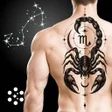
The try-on feature previews tattoo concepts on photos of body parts, applying scale and placement so you can assess size and position. The product is Android-only, and system requirements vary by device; modern phones that support AR and AI processing deliver the fullest preview experience. This setup helps check how a concept sits on specific contours before making placement decisions.
Browsing, saving, and iterative creativity form the daily loop
An Inspiration Gallery provides ready-made ideas to browse, while saved history keeps your own concepts available for later. The flow is: pick an idea, generate variations from a prompt, adjust via custom creation, and return to saved entries. Those tools support a quick, repeatable workflow for sketching and collecting reference images across multiple sessions.
Image handling and developer background inform privacy and handoff
The app processes generated imagery and user photos for try-on, and ZENTRIXA's portfolio focuses on AI-powered and AR experiences, which shapes those capabilities. Because the tool works with images, users should review in-app privacy and sharing settings for how photos and generated art are stored or exported. For studio use, expect to treat app outputs as starting material rather than final production files.
Pros
- Converts text prompts into multiple visual tattoo concepts
- Photo-based virtual try-on previews placement on body parts
- Design History archives creations for later comparison
- Supports several styles, including traditional and minimalist
Cons
- Outputs are concept-stage and need a professional to finalize
- Full try-on requires Android devices that support AR and AI processing
Bottom Line
To sum up, useful for rapid idea testing, less suitable as final tattoo artwork
The app serves creative explorers, weekend planners, and anyone who wants quick visual mockups and placement checks before consulting a studio. Generated imagery functions as inspiration rather than finished art, so you should plan on collaborating with a professional tattoo artist to produce linework and final files suitable for inking. The app fits well into early-stage concept work, not final production.
Used AI Tattoo: Generate Try On for Android?