Used Acoustica for Android?


Acoustica Analysis

AI Assisted Content ·

Not written by CNET Staff.

Acoustica is a full-featured music player designed for Android devices, offering users a robust platform to enjoy their favorite tunes. With its intuitive interface, the application supports various audio formats and includes features such as playlists, equalizer settings, and a sleep timer for a personalized listening experience. Users can easily navigate through their music libraries and create custom playlists to suit their preferences.

Top Recommended Alternative

The software also boasts a built-in audio visualizer, enhancing the overall entertainment experience. Additionally, Acoustica allows for seamless integration with cloud storage services, making it easy to access and manage music files from various sources. Its compatibility with Android devices ensures a smooth performance, providing users with a reliable option for music playback.

Enlarged image for Acoustica
Acoustica 0/3

Used Acoustica for Android?


Explore More


Full Specifications

GENERAL
Release
Latest update
Version
1.0.5
OPERATING SYSTEMS
Platform
Android
Additional Requirements
None
POPULARITY
Total Downloads
14
Downloads Last Week
0

Report Software

Program available in other languages


Last Updated


Developer’s Description

Cinematic soundscape of lush Analogue keyboards and drums relaxingly inviting the listener into a new acoustic environment to listen, mix and...

Cinematic soundscape of lush Analogue keyboards and drums relaxingly inviting the listener into a new acoustic environment to listen, mix and interact with the album as it rhythmically evokes the sense of an emergent conscious awareness in its dub and sub melodies that energize and reawaken our connection to mind.

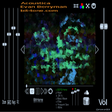
Mixable instrument levels on four stereo faders vary the drum, bass, keyboard and fx volume levels making listening an interactive and evolving soundscape every time, kept synchronised by the apps audio player algorithm.

Album Art to accompany the songs will scroll manually or 5 second hold auto cycles through all the images to further enhance the listening experience. Automated faders for rgb colour can be defined by the listener by touching the tri-colour icon and setting the levels on the manual faders.

Unique concept in Audio Production Album release produced by musician and long time engineer /Indie programmer Evan Berryman. Listen to two tracks free online at Bit-tone.com.


Download.com
Your review for Acoustica
Download.com

AI Assisted Content Disclosure

Content created and reviewed by Softonic with information obtained from bit-tone, using AI.

CNET's editorial team was not involved in the creation of this content. Opinions, analysis and reviews were not provided by CNET.