Used Abutments for Windows?


Editors’ Review

Download.com staff
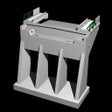
Abutments automates 2D CAD design for bridge structures, generating plans, elevations, and sections from road layout data. The software calculates structural geometry and supports roadway and railway projects with integrated drainage and foundation detailing.
Enlarged image for Abutments
Abutments 0/4
  • Pros

    • Automatically calculates structural geometry from user provided road layout data
    • Generates comprehensive 2D plans elevations and cross sections
    • Supports both roadway and railway abutments with or without skew
    • Features detailed drainage system modeling with multiple configuration possibilities
    • Enables custom component detailing through user defined parapet blocks
  • Cons

    • Output is restricted to 2D drawings without 3D modeling capabilities
    • Functional scope is limited specifically to bridge abutment design
    • Requires manual input of dimensions and road layout parameters
    • No integrated support for full bridge superstructure modeling
    • Limited to CAD drafting without built in structural analysis tools

Used Abutments for Windows?


Explore More


Full Specifications

GENERAL
Release
Latest update
Version
1.2.1
OPERATING SYSTEMS
Platform
Windows
Operating System
  • Windows 10
  • Windows Server
  • Windows 7
  • Windows 2000
  • Windows XP
  • Windows 2003
  • Windows NT
  • Windows Vista
  • Windows 98
  • Windows 8
  • Windows ME
Additional Requirements
AutoCad full / Briscad
POPULARITY
Total Downloads
500
Downloads Last Week
0

Report Software

Last Updated


Developer’s Description

Draw entire design of a bridge abutment automatically.
Abutments is a software that draws in CAD the entire design of a bridge abutment (plans, elevations, sections) in 2D. The data required are the main dimensions and the definition of the road layout, from which the program automatically calculates the elevation and position of the main points that define the geometry of the structure.

KEY FEATURES: - Drawing of abutments in 2D with or without skew; - Drawing of roadway or railway abutments; - Drawing of left and right side elevations, longitudinal section, frontal elevation, top plan, footing plan and cross sections along the footways; - Consideration of wingwalls or dirt walls; - Consideration of abutments with counterfort or solid; - Consideration of lateral and interior counterfort or just interior counterfort; - Distinction between left or right abutments (entering or exiting); - Consideration of apron wall or suspended wall; - Consideration of roadway asymmetric footways; - Consideration of railway symmetrical footways; - Consideration of different types of bearing's; - Detailing of the drainage system with multiple possibilities; - Possibility of pile foundation; - Automatic calculation of main points elevation based on the definition of the road layout provided by the user; - Parameterization of the fascia; - Design of specific elements, such as parapet, using predefined blocks, allowing each user to implement his own details; - New concept of "Help Images"; - Multiple languages support.

Download.com
Your review for Abutments