Used Abstract Blue 3D Next Launcher theme for Android?


Abstract Blue 3D Next Launcher theme Analysis

AI Assisted Content ·

Not written by CNET Staff.

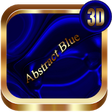
Abstract Blue 3D Next Launcher Theme is a comprehensive customization tool for Android devices, designed to enhance the visual appeal of your home screen. This theme offers a stunning blue 3D aesthetic that transforms the look of your device, incorporating intricate designs and dynamic wallpapers. Users can expect a variety of customizable icons and widgets that align with the 3D art style, allowing for a personalized user interface experience.

Top Recommended Alternative

The theme is compatible with the Next Launcher, which is a popular platform for creating unique home screen layouts. The installation process is straightforward, providing users with easy access to a range of features, including animated wallpapers and special effects that breathe life into the device. This theme aims to provide an immersive and visually striking environment, appealing to users who appreciate modern and artistic designs.

Enlarged image for Abstract Blue 3D Next Lau…
Abstract Blue 3D Next Launcher theme 0/4

Used Abstract Blue 3D Next Launcher theme for Android?


Explore More

Full Specifications

GENERAL
Release
Latest update
Version
1.2
OPERATING SYSTEMS
Platform
Android
Additional Requirements
None
POPULARITY
Total Downloads
36
Downloads Last Week
0

Report Software

Program available in other languages


Last Updated


Developer’s Description

This is not a standalone app, this is a theme (skin) for Next Launcher 3D.

This is not a standalone app,this is a theme (skin) for Next Launcher 3D.You need NEXT LAUNCHER 3D installed to apply this theme to your phone. Developers have removed Next Launcher 3D from Google Play.You can download it on third-party resources.This theme is compatible with tablet.

Note!

Some devices with Android OS ver.7 and above may have pro blems with displaying graphic elements.

Features

Original design

Support 3D and 2D mode

4 HQ Wallpapers

600 XHDPI app icons

Clock Widget

How to Apply this Theme

Menu > Themes > Mine > Apply

How to change wallpaper

Menu > Wallpaper > Press on the Next Launcher icon (blue color) and select wallpaper.

How to apply clock widget

Menu > Widgets > System > Find the widget themes > click on the widget.

3D mode

Menu > Preferences >Switch to 3D scene mode.

2D mode

Menu > Preferences >Switch to classic mode.

Installation Recommendations

-If you don't see the theme, then after installation you must first apply the standard theme of the Next Launcher. After that, the theme appears in the selection of themes.

-If after switching from one mode to another (usually from 2D to 3D) icons and other elements don't change, follow these steps to solve this issue:

Menu > Theme> Mine and then apply current theme.

FOR MORE THEMES MADE BY US,CLICK THIS LINK:

https://play.google.com/store/search?q=spikerose&c=apps

IF YOU LIKE THE THEME,LEAVE YOUR POSITIVE FEEDBACK,PLEASE!

Your support will inspire us to create better design themes.

Thank You!

Follow us:

https://www.instagram.com/spikerose/

https://www.facebook.com/spikerosey

Copyright (c) 2017 spikerose. All rights reserved.


Download.com
Your review for Abstract Blue 3D Next Launcher theme
Download.com

AI Assisted Content Disclosure

Content created and reviewed by Softonic with information obtained from spikerose, using AI.

CNET's editorial team was not involved in the creation of this content. Opinions, analysis and reviews were not provided by CNET.