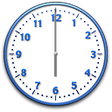
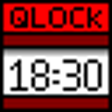
Run a transparent desktop clock on top of your other windows.
From the developer: "Topmost Clock is a transparent desktop clock, which runs on top of all other windows. It may have a digital or analog clock face of various colors, sizes and shapes. It has flexible settings, which allow customizing the clock so that it could be easily seen in any environment, but wouldn't irritate you or overlap with important interface elements."
I have used this clock on a variety of PC's for YEARS..but the latest itteration of the installer has a Trojan Horse GEN2 virus in it. Norton just caught it
Cons
can't stand Trojan Horses'.
Summary
the file name "cbsidlm-cbsi213-Topmost_Clock-ORG-10148420.exe" has a virus in it..don't download or install
Keep coming back to this clock - it is the best
jwoodget
Pros
I have reinstalled this in a couple of computers because it is the most useful little utility. Small enough to be permanently visible.
Great when I am giving presnetations as my audience like to see me managing the time.
Big thanks to the developer.
Cons
Sometimes gets in the way of a button or some text but dead easy to drag about the screen
Summary
Lovely simle, useful, flexible clock
Great clock, just the job
bazzer40
Pros
I have been looking at Desktop clocks for some years, this is the best yet, simple and straightforward.
Cons
I have no probelm weit it
Summary
Transpaent & moveable
brhodes484
Pros
Easy to move around the screen. I like somewhere aournd top right. Like having the 24 hr clock without thinking about it. Second hand sweeping around is like some relaxation/meditation assistant.
Cons
Occasionally need to move out of the way to click on something.
Summary
Perfect -and easy to use.
Hell2 u
Pros
Easy to use -non intrusive as I wanted a clock for top screen and this is perfect when I'm gaming,not loosing track of time .
Cons
A small bit outdated graphics--but hey its free .
Summary
Easy to customise and can be placed where you want.If you have a two screen it will be perfect-Bottom line I love it ,just what I was looking for.Thanks cnet for another awesome app.
Nice to find Exactly what I was looking for!
l8rb
Pros
Variability...fonts, styles, sizing, colors, information...so far all good!
Cons
So far only two issues: finding a consistent spot to open the control center; and Personally I would like to see more numerical options (besides roman) on the analog face.
Summary
Easy to move, Easy to change! As described: topmost of all windows and games. Wish more programs worked right the first time...EH Bill??
Very nice application. Easy to use and customizable
butterflygurl68
Pros
Very easy to use and good customization abilities.
Cons
A couple more styles would be nice.
Summary
Works great
rjtvjhill
Pros
Stays on top perfectly, use analog and digital or seperately
Cons
None at this time
Summary
I LOVE IT +++++
mariocf
Pros
Cons
Summary
nice, but i couldnt find a color scheme that worked
cnetdlder
Pros
simple, unobtrusive, effective.
Cons
It's transparent (a good thing) but at different times it's on top of white, black, or grey or other colors. I couldn't find one color that worked for all. Some black-with-white-outline would have worked for me, but i couldnt find such a thing.<p>Also you have to actually click on the number itself, not just near it, to get the pop-up menu. That's not too bad -- once you know it (i learned it in help)