Used Song Transpose for Windows?


Editors’ Review

Download.com staff
This utility transposes plain text song charts to any key. It exports formatted HTML and RTF files with options for columns, font size, and spacing, and includes a batch processing feature for creating setlists.
Enlarged image for Song Transpose
Song Transpose 0/1
  • Pros

    • Transposes song charts to any of 12 musical keys
    • Exports formatted charts to HTML and RTF file formats
    • Batch processes multiple files to create a complete setlist
    • Customizes layout with single or double column options
    • Adjusts formatting for font size, bold chords, and spacing
  • Cons

    • Accepts only plain text files for song chart input
    • Lacks direct PDF export or printing functionality
    • Does not support standard musical notation or guitar tablature
    • No real-time preview of formatting changes is available
    • Relies on external applications to view edited text files

Used Song Transpose for Windows?

Explore More


Full Specifications

GENERAL
Release
Latest update
Version
1.1
OPERATING SYSTEMS
Platform
Windows
Operating System
  • Windows 2000
  • Windows 2003
  • Windows 10
  • Windows Server
  • Windows 8
  • Windows 98
  • Windows XP
  • Windows ME
  • Windows NT
  • Windows Vista
  • Windows 7
Additional Requirements
None
POPULARITY
Total Downloads
569
Downloads Last Week
0

Report Software

Program available in other languages


Last Updated


Developer’s Description

Transpose song charts to any key and format for Word or HTML.

Use Song Transpose to transpose and format song files written in plain text format. Transpose to any key and create HTML or RTF (Word) format files. Format options include font size, single or double columns, chord names in bold print, and extra line space between lines.

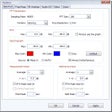
Transpose Section:Select one of the numbered radio buttons to transpose up or down a certain number of half-steps. There are 12 half-steps in an octave. Press "Transpose Song File" to convert the file to the new key. Press "Edit Text" to see the new version in the default text editor, such as Notepad. For the keys of E and A, you usually want sharps (#) rather than flats (b). In this case, select "Display Sharps" and then either "Transpose Song File" or "Convert Sharps/Flats".Format Section:This section allows you to create webpage format (HTML) or Word document format (RTF). Specify the font size, bold option, space between lines, indent, and 1 or 2 column format. Press one of the "Create" buttons, then the corresponding "View" button to see the results. Two column format might be useful to display on a wide laptop screen, allowing the whole song to fit.SetList Section:This section is used to create several song charts in one step. You might need 22 charts for an evening performance, for example. One step creates all of the HTML or RTF files and another also combines them into a single HTML or RTF file. Create a text file with one song file per line as the setlist file. For example, setlist.txt might contain...


Download.com
Your review for Song Transpose