Used Menu Editor for Windows?
Editors’ Review
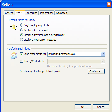
There's no user guidance, but once you figure out this free add-on, you'll find that it helps you easily customize Firefox's menu bar items. You'll find Menu Editor tucked away in your Add-ons menu. The user interface is pretty plain and not very intuitive. A Help menu would have eased up the learning curve.
The interface features two mode options: simple and advanced. Simple mode allows you to show or hide menu items. Advanced modes drag-and-drop functionality allows you to rearrange menu items. Simply choose which drop-down menu you want to edit (File, Edit, View) and apply the changes. If you're not happy with the changes you made, the Reset buttons will take you back to the default menu settings.
We were able to quickly and easily customize our Firefox menu items without any issues. Novice users shouldn't be scared away by the lack of a Help file. With a bit of work, Menu Editor can help any user customize Firefox.
Used Menu Editor for Windows?