Used FindBar Tweak for Windows?


FindBar Tweak Analysis

AI Assisted Content ·

Not written by CNET Staff.

FindBar Tweak is a free browser add-on designed for Windows users, enhancing the native find bar functionality in web browsers. This tool allows users to customize their search experience by providing additional features such as keyword highlighting and advanced search options. With an intuitive interface, users can easily navigate through their web pages more efficiently.

Top Recommended Alternative

The add-on supports various customization options, including adjustable settings for text appearance and search sensitivity. It integrates seamlessly with popular browsers, allowing users to access enhanced searching capabilities without disrupting their workflow. FindBar Tweak aims to improve productivity by making information retrieval faster and more user-friendly.


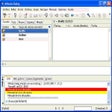
Enlarged image for FindBar Tweak
FindBar Tweak 0/2

Used FindBar Tweak for Windows?


Explore More


Full Specifications

GENERAL
Release
Latest update
Version
1.2.1
OPERATING SYSTEMS
Platform
Windows
Operating System
  • Windows 2003
  • Windows Vista
  • Windows 7
  • Windows XP
  • Windows 8
  • Windows 10
  • Windows Server
Additional Requirements
Mozilla Firefox 8.0
POPULARITY
Total Downloads
83
Downloads Last Week
0

Report Software

Program available in other languages


Last Updated


Developer’s Description

Enhance your page search options on Firefox.
FindBar Tweaks is a Firefox add-on to help with your page search. It adds a find bar on top of your browser. It shows you the number of occurrence and highlights all of them on the scroll bar to locate things easily. You can even configure the extension to search for you in all the opened tabs.

Download.com
Your review for FindBar Tweak
Download.com

AI Assisted Content Disclosure

Content created and reviewed by Softonic with information obtained from QuickSaver, using AI.

CNET's editorial team was not involved in the creation of this content. Opinions, analysis and reviews were not provided by CNET.