Used Free Clock Screensaver for Windows?


Editors’ Review

Download.com staff
This standalone Free Clock Screensaver offers extensive customization for your Windows desktop. Choose between digital or analog displays, personalize appearance, and add audio-visual effects. It installs safely with no adware or malware, providing a rich feature set.
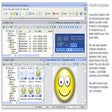
Enlarged image for Free Clock Screensaver
Free Clock Screensaver 0/1
  • Pros

    • Supports digital and analog clock displays.
    • Offers 12-hour and 24-hour time formats.
    • Customizable clock size, color, and background.
    • Adjustable clock position at regular intervals.
    • Personalizable date font, size, and design.
  • Cons

    • Limited to Windows operating system only.
    • Does not explicitly mention custom background image support.
    • Lacks specific details on diverse font selection.
    • No explicit mention of multi-monitor support.
    • Limited information on advanced animation effects.

Used Free Clock Screensaver for Windows?


Explore More


Full Specifications

GENERAL
Release
Latest update
Version
1.0
OPERATING SYSTEMS
Platform
Windows
Operating System
  • Windows 10
  • Windows Server
  • Windows 7
  • Windows 2000
  • Windows XP
  • Windows 2003
  • Windows NT
  • Windows Vista
  • Windows 98
  • Windows 8
  • Windows ME
Additional Requirements
None
POPULARITY
Total Downloads
1,984
Downloads Last Week
8

Report Software

Program available in other languages


Last Updated


Developer’s Description

Have beautiful clock on screensaver.
A Free Clock Screensaver is software that allows users to customize their screen with many variations in a digital or analog clock. It is a simple tool that is quite powerful and has a many features to look forward to. Apart from the attractive designs and the audio and video effects, users can even modify the background and other details to suit their requirements. All of these can be accomplished with just a few clicks after the download. It is free of cost and can be used for as long as there is a requirement. With no malware or adware during the installation, it is absolutely safe for the security of the PC or laptop being used. There is no need of any additional requirements as it is a standalone app. Users would just need a system that runs on Windows OS and they are good to go. The Free Clock Screensaver has many attractive attributes. The first one is that users can choose between digital and analog. The next one is that it is available in a 24 hour as well as 12 hour formats. The size of the clock, the color and background can be modified within no time. The simple user interface makes it possible for users to achieve all this. Users can choose to change the position of the clock at regular intervals so as to make it more interesting. The date font, size and design can also be personalized. The Free Clock Screensaver displays the current date and comes with a number of sound effects to choose from. The color, shadow and glow effects can also be changed and this makes the tool very popular amongst all users across the world. It even allows them to write small messages and set them as tickers.

Download.com
Your review for Free Clock Screensaver