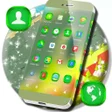
Used 3D Launcher For Android for Android?
Editors’ Review
3D Launcher For Android, developed by Free 2020 Themes & Keyboards, transforms the standard Android interface into an immersive 3D home environment for smartphones and tablets. The launcher emphasizes layered visuals and animated transitions to replace flat UI elements with depth and motion. It aims at users who prefer a bold aesthetic update delivered through straightforward controls rather than deep system configuration or manual theming work.
Top Recommended Alternative
The app replaces flat elements with depth-defying themes and animated navigation, applying dynamic 3D visual effects to screen transitions and app movement. High-definition stylized wallpapers are provided to match the three-dimensional look, and visual effects are designed to make the home screen appear layered and interactive rather than static.
How the launcher changes home screen visuals
How much control you get over icons, fonts and themes
The launcher exposes specific appearance controls for surface-level personalization. Key elements include:
- Custom icon masks that redesign standard app icons to match a theme
- Font options with style and color adjustments
- Theme packages that bundle icons, wallpapers and visual rules, plus a one-tap apply action to activate a chosen pack
What to expect from performance and device compatibility
The developer positions the launcher as lightweight and optimized for smooth navigation despite its advanced 3D graphics. Platform notes state general compatibility with most modern Android smartphones and tablets, so device capability influences smoothness. The app’s emphasis on high-quality visuals implies better results on recent hardware rather than entry-level or much older devices.
How simple setup and launcher requirements are
The app provides on-screen prompts marked 'Set as Active Theme' and step-by-step guidance when a compatible base launcher is required. Some themes need a supporting launcher such as GO Launcher to activate their 3D rules; if a required launcher is absent the app supplies installation instructions. The interface is kept simple to let casual users apply themes quickly.
Pros
- Layered 3D transitions for animated home screen navigation
- Custom icon masks that unify app appearance under a theme
- Font style and color adjustments included for visual matching
- Developer states optimization for smooth navigation despite 3D graphics
Cons
- May require a compatible base launcher such as GO Launcher
- Best results on modern devices; older hardware may struggle
- Focuses on surface appearance, not system-level personalization
Bottom Line
A focused visual option for aesthetic-focused Android users
The launcher is a practical choice for users who want a pronounced visual overhaul without diving into system-level tweaks. It suits those on modern devices who accept installing a compatible base launcher when necessary. Expect the app to deliver surface-level personalization rather than workflow or performance tools, so pick it if appearance and quick theme changes are the primary goals.
Used 3D Launcher For Android for Android?
Explore More

Super Funny Ringtones
Free
Neon hearts live wallpaper
Free
Vintage Launcher Pro 2018 - Theme, Fast, Simple UI
Paid
Girly live wallpapers for android
Free
XEEX Next Launcher 3D Theme
Paid
Super Messi Ringtone
Free
TREK Fonts Pack
Paid
Gothic System UI
Paid
Simple Black Emoji keyboard
Free
Neon Red Iron Man Theme
Free
GPrompt : Ai Photo Prompts
Free
Unlock screen by voice
Free











