Used 3D Engine Auto + for Android?


3D Engine Auto + Analysis

AI Assisted Content ·

Not written by CNET Staff.

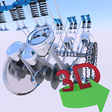
3D Engine Auto + is an innovative Android application designed to provide users with in-depth insights into car engine mechanics through interactive 3D models. This utility allows users to engage with various components such as suspensions, steering systems, transmissions, and differentials. The application features an intuitive interface that enables users to rotate, zoom, and pan around the 3D models, making it easier to visualize complex mechanisms from multiple angles.

Top Recommended Alternative

The app also offers the functionality to enable or disable specific parts of the 3D models, facilitating focused learning on individual components. Each part includes detailed information covering construction, working principles, materials, dimensions, types, and applications, along with animations that demonstrate how these systems operate. This makes 3D Engine Auto + a valuable educational resource for engineering students and automotive enthusiasts.

Enlarged image for 3D Engine Auto +
3D Engine Auto + 0/3

Used 3D Engine Auto + for Android?


Explore More


Full Specifications

GENERAL
Release
Latest update
Version
4.7
OPERATING SYSTEMS
Platform
Android
Additional Requirements
Requires Android 4.1 - 7.1.1
POPULARITY
Total Downloads
36
Downloads Last Week
3

Report Software

Program available in other languages


Last Updated


Developer’s Description

"3D Engine Auto +" provides information, visualization and working animation on engine 3d and other car mechanisms in 3d.

"3D Engine Auto +" provides information, visualization and working animation on engine 3d and other car mechanisms in 3d. A 3D interactive model helps to visualize the car engine and other mechanisms like "Suspension", "Steering", "Transmission","Differential" from all sides. Models can be rotated, enlarged and panned.

Features:

1. Enable/disable 3D parts to see the parts which exactly you want to view.

2. Information of each 3D engine parts and other mechanism. The Information is categorized under the following:

a) Introduction of the part

b) Construction of the part

c) Working of the part

d) Material and Dimensions of the part

e) Types of part

f) Other Applications of the part

g) Extra Information related to the part

3. 3D Engine Model:

a) Camshaft

b) Camshaft Bushing

c) Camshaft Sprocket

d) Crankshaft

e) Crankshaft Bushing

f) Crankshaft Sprocket

g) Engine Valve

h) Hex Screw

i) Piston Head

j) Piston Pin

k) Piston Rod

l) Piston Rod Cap

m) Rocker Arm

n) Rocker Roll

o) Valve Spring

p) Flywheel

4. 3D Wheel Assembly Model:

a) Axle

b) Coil Spring

c) Disc Brake

d) Double Wishbone AA Arm

e) Frame

f) Knuckle

g) Tire

h) Rim

i) Wheel Hub

j) Disc Caliper

5. 3D Steering Model:

a) Axle

b) Ball Joint

c) Bellows

d) Control Arm

e) Disc Brake

f) Pinion Gear

g) Rack

h) Shafts

i) Steering Wheel

j) Tie Rod

k) Universal Joints

6. 3D Transmission Model(5-speed Gearbox):

a) Connecting Rod

b) Crankshaft

c) Dog Clutch

d) Helical Gears

e) Piston

f) Shafts

g) Shift Lever

h) Shift Rod

i) Spur Gears

7. 3D Differential Model(Worm):

a) Differential Bevel Gears

b) Satellite Gears

c) Worm Gears

d) Bearings

e) Washer

f) Bushings

g) Gasket

h) Shaft Key

i) Flange

8. Working Animation of each 3D Model.

9. Rotation and Scale Sensitivity of the 3d model can be controlled.

Usage and Navigation:

1. Rotate the scene by dragging your fingers over the model.

2. Zoom the model in and out by pinching with your fingers.

3. Select the focus mode, and focus on a particular part in a mechanism.

4. Toggle check/uncheck the part to enable/disable them.

5. Reset the camera to get the initial view of the model.

Note: Currently, the app is in English language only

This is a must have app for engineering students and high school students who are interested in learning about how car moves and how the mechanism works.


Download.com
Your review for 3D Engine Auto +
Download.com

AI Assisted Content Disclosure

Content created and reviewed by Softonic with information obtained from Vaibhav Kokare, using AI.

CNET's editorial team was not involved in the creation of this content. Opinions, analysis and reviews were not provided by CNET.