Used 3D Biology + for Android?


3D Biology + Analysis

AI Assisted Content ·

Not written by CNET Staff.

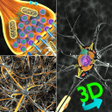
3D Biology + is a free educational application designed for Android devices, focusing on the intricacies of the human body. This app serves as a comprehensive resource for both students and educators, offering detailed information, 3D visualizations, and interactive experiences that enhance the learning process. Users can engage with a variety of biological models, making complex concepts more accessible and easier to understand. The application is particularly beneficial for visual learners, as it combines textual information with vivid 3D animations.

One of the standout features of 3D Biology + is its dual operational mode. Users can choose to access pre-downloaded models in offline mode or connect online to explore an expansive library of additional models. This flexibility ensures that learners can continue their studies without interruption. The application supports six languages, including English, Spanish, Russian, German, Portuguese, and Japanese, making it a versatile tool for a diverse audience.

Enlarged image for 3D Biology +
3D Biology + 0/4

Used 3D Biology + for Android?


Explore More


Full Specifications

GENERAL
Release
Latest update
Version
2.1
OPERATING SYSTEMS
Platform
Android
Operating System
Android 15.0
POPULARITY
Total Downloads
23
Downloads Last Week
0

Report Software

Program available in other languages


Last Updated


Developer’s Description

"3D Biology +" provides information, visualization of 3D Biology models.

"3D Biology +" provides information, visualization of 3D Biology models. A 3D interactive model helps to visualize the 3d model from all sides. Models can be rotated, enlarged and panned.

Features:

1. Enable/disable 3D parts to see the parts which exactly you want to view.

2. Information of each 3D models' parts and other mechanism available through Dictation and Search Engine.

3. Download 3D Models from Online Library and visualize them anytime. Some of the 3D Models in the Online Library:

a) Human Cell

b) Human Anatomy Complete

c) Bacteriphage

d) Sperm Cell

e) Neuron, etc. (More content added every week)

4. "Dictation of information related to the model" of 3D Models.

5. Rotation Sensitivity, Scale Sensitivity of the 3d model can be controlled.

6. Eagle's Eye Mode: Can see through the objects for skeletal view of an object.

Usage and Navigation:

1. Rotate the scene by dragging your fingers over the model.

2. Zoom the model in and out by pinching with your fingers.

3. Select the focus mode, and focus on a particular part in the model.

4. Toggle check/uncheck the part to enable/disable them.

5. Reset the camera to get the initial view of the model.

6. Internet Connection is mandatory to download models. Downloaded models can be viewed in Offline Mode.

Note: App is supported in 6 Languages(+ dictation):

1. English

2. Spanish

3. Russian

4. German

5. Portuguese

6. Japanese

Note: A 3D Model size ranges from 2-5 MB. Otherwise, internet connection is required for TTS information which hardly takes 1KB per session. So, only downloading models use up little data; visualising pre-downloaded models take negligible data, if internet connected.


Download.com
Your review for 3D Biology +
Download.com

AI Assisted Content Disclosure

Content created and reviewed by Softonic with information obtained from Vaibhav Kokare, using AI.

CNET's editorial team was not involved in the creation of this content. Opinions, analysis and reviews were not provided by CNET.