CNET Editors' review
If you've got burnt thighs from an old MacBook Pro or you notice that your computer is always overheating and crashing from using CPU-intensive apps (like playing PC games in a virtual Windows environment), you might want to check out smcFanControl. This free, GPL-licensed utility has a single purpose: letting you increase the minimum speed of built-in fans, so your Intel computer will run cooler.
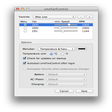
smcFanControl lets you monitor the current temperature (in Celsius or Fahrenheit), assign different minimum speeds for each fan using sliders, and even apply different settings when your power source changes (for example, going back to default fan speed when using battery power). As with any settings-tinkering software, you'll want to use smcFanControl judiciously--but fortunately this application always keeps fans in automatic mode (so speed will increase along with CPU load) and never lets you set the fan speed below the Apple-recommended minimum. This most recent version adds support for every current MacBook, MacBook Pro, MacBook Air, and Mini.
Publisher's Description
From Hendrik Holtmann:
smcFanControl lets the user set the minimum speed of the build in fans. So you can increase your minimum fan speed to make your intel mac run cooler. However in order not to damage your machines smcFanControl let's you not set minimum speed to a rate under Apple's defaults.
What's new in this version: Version 2.4 adds the following features/bugfixes:
- Support for OS X Mountain Lion / Gatekeeper
- Support for Retina Macbook Pro
- smcFanControl is now a 64 Bit application
- AutoStart works now without AppleScript
- Support for OS X 10.4 is deprecated
- The source code for smcFanControl is now available on github at Github
More Products to Consider
- Access hidden preferences settings.Visit Site
This download is served from an external site
closeNOTICE: This link will open a connection to a third-party site. CNET cannot ensure the security of software that is hosted on external sites.
Sponsored Products
- Monitor widget: cpu, memory, bandwidth, drive, fans, temps...Download
Installed
Smart Install - Adds AirPrint support to many third-party printers.Download
Installed
Smart Install - Monitor your computer, from memory usage to Bluetooth status.Download
Installed
Smart Install - Remove unwanted language resources from OS X and installed apps...Download
This download is served from an external site
closeNOTICE: This link will open a connection to a third-party site. CNET cannot ensure the security of software that is hosted on external sites.
Sponsored Products
Installed
Smart Install - Menu extras: CPU, disk, memory & network monitoring.Download
Installed
Smart Install - Command-line utility to expand RAR archives.Download
Installed
Smart Install - Set a different desktop picture for each Space.Download
Installed
Smart Install - Makes the color of your computer's display adapt to the time of...Download
Installed
Smart Install - Check your memory and disks; monitor the health of your Mac.Download
Installed
Smart Install - Menu bar extension like the classic Apple menu.Download
Installed
Smart Install - Monitor websites, statistics, accounts on iPad Screen.Download
Installed
Smart Install - AutoCAD (dwg & dxf) & eDrawings viewer.Download
Installed
Smart Install - Customize the appearance and behavior of your Mac.Download
Installed
Smart Install - Count down the seconds to any event right on your dashboard.Download
This download is served from an external site
closeNOTICE: This link will open a connection to a third-party site. CNET cannot ensure the security of software that is hosted on external sites.
Sponsored Products
Installed
Smart Install - Visual surveillance software tracks unauthorized logins to you...Visit Site
This download is served from an external site
closeNOTICE: This link will open a connection to a third-party site. CNET cannot ensure the security of software that is hosted on external sites.
Sponsored Products
- Analyzes your personal music trends.Download
Installed
Smart Install - Monitor and log all the temperatures and fan speeds inside your...Visit Site
This download is served from an external site
closeNOTICE: This link will open a connection to a third-party site. CNET cannot ensure the security of software that is hosted on external sites.
Sponsored Products
- Displays all accessible temperature sensors.Visit Site
This download is served from an external site
closeNOTICE: This link will open a connection to a third-party site. CNET cannot ensure the security of software that is hosted on external sites.
Sponsored Products
- Quantifies visual scree test to determine number of factors to ...Download
Installed
Smart Install - Shows accessible temp sensors.Download
Installed
Smart Install - Complete new set of folder icons.Download
Installed
Smart Install - Take part in a trip around Madrid via screensaver.Visit Site
This download is served from an external site
closeNOTICE: This link will open a connection to a third-party site. CNET cannot ensure the security of software that is hosted on external sites.
Sponsored Products
- Control your MacBook's fans.Download
This download is served from an external site
closeNOTICE: This link will open a connection to a third-party site. CNET cannot ensure the security of software that is hosted on external sites.
Sponsored Products
Installed
Smart Install
-
All versions:
4.3 starsout of 30 votes
-
Current version:
3.1 starsout of 7 votes
-
My rating:
Write review
Results 1-7 of 7
-
"Useless..."
Version: smcFanControl 2.4
Pros
I'll get back to you...
Cons
If you consider the app not working at all a con, then yes.
Summary
First, when it is on default it won't let me make the speed any lower than 2800 rpm, which isn't that big of a problem because despite the setting it still runs at 2500ish. Then when I try to increase the speed the fans kick in for about a second get up to 3500 and then immediately go back to 2500. As far as i can tell the app holds no control over the fans as its name would suggest. Don't download. Not worth the price (and yes, I realize its free). Thanks for nothing smcFanControl!
-
"Useful & free: what more?"
Version: smcFanControl 2.4
Pros
Resolved the noise of the HD fan, continuously on after replacing the hard disk; easy to use, simply and great. Working on IMac late 2006, Snow OS
Cons
Needs to be reset after a stop.
Summary
If you need to mange the fans, the best simple way.
-
"Does what it claims to do"
Version: smcFanControl 2.4
Pros
It is tiny, and shows the temperature and fan revolving.
Cons
You need to reboot - should be sufficient to restart the window manager, or just the status part.
Summary
Does what it claims, and with 0.0% to 0.4% CPU it will save battery life. Should be standard with all OS for laptops.
-
"Used it for years. Get a new Mac- Install smcFanControl"
Version: smcFanControl 2.4
Pros
Free, light, easy to install and remove.
Won't let you run your mac slower than Apple specs.
Shows you the temp of your laptop. Get it even if you don't adjust fan speed at all.Cons
I've never seen any downsides to it.
Summary
This is one add-on that is a real no-brainer.
-
"OS X: Flash Player Plug-in Container melting your CPU?"
Version: smcFanControl 2.4
Pros
Lightweight and simple.
Convenient way to monitor your CPU temp in all versions of OS X (well Snow and Mountain)
Easiest way to manually bump up your fan speeds either as a default or simply when you're at the Church of CPU Hoggin'!
I'm sure this app is extending the life of my 2009 MBP 13.
I set my default fan speed to 2500RPM and added more presets
Default PLUS 3500 RPM
Higher 4100 RPM
Highest 5000 RPM
Grande Super 6000 RPM
At 5000 RPM i can hear the fan and only use this when I start breaking 150F
And Grande Super is usually reserved for time when I 'm getting effed in the A by AF (Adobe Flash Player! will melt any CpU from here to Baghdad!)Cons
none for the past two versions of OS X
Summary
This is the app for cooling your laptop and even your friends/family who are partial to watching movies online and don't hesitate to use their down duvet covered bed as their desk, thereby obstructing partial/all of their internal fan's exhaust ports. Do them a favor and install SMC Fan Control in their startup folder & boost default RPM. It uses 0.3% CPU and 12mb of real memory all day long.
-
"Doesnt work."
Version: smcFanControl 2.4
Pros
None. It does not work. I downloaded twice and the same issue. Lion OS
Cons
No zip, just app. Same as the other comments. Will not open in Lion.
-
"Why won't it work?"
Version: smcFanControl 2.4
Pros
It sounded good.
Cons
Double clicking and it doesn't "do" anything. Open, function, start etc. OS 10.7 - weird. There was no "installer" - just the app.
Results 1-7 of 7
Add Your Review
Submit your reply
E-mail this review
Report offensive content
See more CNET content tagged:
Previous Versions: