Features
-
License:
Free to try; $16.95 to buy
- Editor's Rating:
- Average User Rating:
-
Downloads:
37,320
- Operating Systems:
Windows Me, Windows XP, Windows 2000, Windows 98
- Additional Requirements:
Windows 98/Me/2000/XP/2003 Server, Outlook 2000
- Limitations:
15-day trial
- Date Added:
May 03, 2007
-
Previous Versions:
Publisher's description of iPodSync
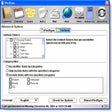
iPodSync is a tool to keep your Microsoft Outlook calendar contacts, tasks, and notes synchronized between your PC and your iPod. iPodSync also syncs weather forecasts and news from the Web. iPodSync turns your iPod into a PDA. You specify what information you want to sync and iPodSync does the rest.
Version 2.3 build 837 adds the ability to control filters for contacts, calendars, and tasks separately.

- See more CNET content tagged:
- Apple iPod,
- Microsoft Corp.,
- Microsoft Outlook,
Editor's review of iPodSync
stars
- "iPodSync"
- Version reviewed: iPodSync 2.3 build 837
This clever and useful little application gives your iPod powers that go beyond entertainment value. iPodSync makes a good first impression, with a slick and well-organized control panel that boasts a brushed-metal design.
The utility's most notable feature is it lets you automatically import Microsoft Outlook content to your musical companion. And while iTunes itself will now let you add your e-mail contacts to the iPod, this program goes a step further by importing full messages and your calendar, complete with any upcoming meetings you might have. The e-mails themselves are easy to find and browse, as they're accessible from the iPod's Notes menu item. And to boot, you can configure the program to show messages from just the last day to the last four months.
But that's not all iPodSync can do; it also adds RSS feeds, movie information, and weather forecasts. You get a list of preconfigured feeds--including those for news, sports, and the iPod Lounge site--but you can easily add your own custom links. In our tests, syncing even a great deal of information happened very quickly, and all e-mails and other content looked just fine once they were on our iPod. And while we usually think 15-day trials are a bit too short, that's a small complaint considering how well the program functions.
On-the-go workers are likely to get the most use out of iPodSync, but just about anyone who owns Apple's MP3 player will find something to like about this download.
More popular Contact Management Software downloads
- 1,440 downloads 1. Cell Phone Manager
- 1,060 downloads 2. Sony Ericsson PC Suite
- 829 downloads 3. Active Desktop Calendar
- 418 downloads 4. Stickies
- 317 downloads 5. My Journal
- See all Contact Management Software downloads
User reviews
- Average user rating: 3.5 stars out of 15 votes
- My rating: 0 stars Write review
-
Showing 4 of 4 user reviewsSee all 4 user reviews
This software version | All versions -
Version: iPodSync 2.3 build 837
Pros: Lightweight solution for synchronizing Outlook data to iPods. Much more powerful than the mammoth iTunes solution. Best use of $16 bucks I've ever had.
-
Version: iPodSync 2.3 build 837
Pros: Itunes and Outlook don't sync it's calendar with it's Ipod video, this software does, plus it does a lot more. There are a lot of options to choose from.
Cons: This software is a little confusing to figure out how to configure. I had a hard time setting up the files/folders in the beginning to sync with Outlook.
-
Version: iPodSync 2.3 build 837
Cons: No way to contact icc for support before you buy it
-
Version: iPodSync 2.3 build 837
"Just what I was looking for to import Outlook Calendar"
Pros: Very easy after I disabled Itunes from opening when I plugged in the ipod
Cons: None that I found so far.
Summary: Very easy and a clean graphical interface and small footprint. Nicest "freeware" program I've seen in a while.
Thanks - See all 4 user reviews Write review
Submit your review
You must be 13 years of age or older to submit personal information to CNET Networks. In compliance with the Children's Online Privacy Protection Act of 1998, CNET Networks does not accept name and e-mail address information from users who are under 13 years of age.
All submitted ratings and written comments become the sole property of CNET Networks, Inc. (CNET) and may be used at CNET Networks' sole discretion. Ratings and written comments are generally posted within two to four business days in batch groups, not in real time. However, CNET Networks reserves the right to remove or refuse to post any submission for any reason. You acknowledge that you, not CNET Networks, are responsible for the contents of your submission.
CNET Networks is not responsible for the content of the publisher's descriptions or user reviews on this site. We encourage you to determine whether this product or your intended use is legal. We do not encourage or condone the use of any software in violation of applicable laws. CNET Download.com does not sell, resell, or license any of the products listed on the site. We cannot be held liable for issues that arise from the download or use of these products.