CNET Editors' review
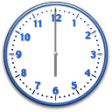
Vector Clocks is a desktop alarm clock with a set of freeware analog alarm clock faces that you can customize and pin anywhere on your desktop. You can change the size, transparency, behavior, and other aspects of the clock; rotate and manipulate the clock face; and hide it with a mouse gesture. The clock also features digital time and date displays, and it can even function as a stopwatch. The alarm plays sounds from MP3, WAV, and MIDI files.
Vector Clocks' installer gave us the choice of a standard Windows installation or a portable installation on a USB stick or similar device. We chose the standard installation but appreciate the option. The clock face is a clear, high-definition graphic with realistic highlights and movement, especially the sweep second hand, which synchronized with the digital time display. The clock displayed AM or PM as needed, and the date was displayed but not the month. We clicked the large "i" that appeared over the center of the clock when we hovered the cursor over it, and an attractive calendar display popped up. We clicked Set Alarm, and a wizard helped us set the default audible alarm. We could also choose our own file or access more alarm sounds online. We right-clicked the center of the clock to access its main settings; something we could also do from the program's system tray menu. This tabbed dialog contained numerous checkboxes for selecting the clock's behavior and appearance, its desktop integration, the time format, and other options. We set our city's name and chose our options, including selecting a skin from a drop-down menu as well as the mouse-over autohide feature, which worked just fine. We could also add an image from our library to the clock face.
The program's Web site offered a huge array of high-quality clock faces that can be downloaded for free by clicking More Clocks on the system tray menu. Each is a separate, fully functional Vector Clock, and you can cover your desktop with them, if you like. We've seen lots of free desktop alarm clocks; Vector Clocks is the nicest one yet.
Publisher's Description
From MicroInvention:
Fully scalable Desktop Alarm Clocks that can be placed anywhere on your screen, rotated with total freedom, resized to any scale and set in 3D perspective view without losing any graphics quality. Clocks nicely integrates with desktop. Choose to pin the clock to desktop, use it as a normal window, keep it on top or even force it to foreground (when in click-through mode). Plus some other options, such as "hide on mouse over", "start with Windows" and "clock transparency" configuration. Alarm function lets set up message and sound to play on due time (wav, mp3, midi). Can be also used as a simple countdown timer - after checking on the "Now plus" option, clock will compute a future alarm time based on defined delay (eg. after 5 minutes). Contains full support for TimeZones, you can set different time zone for each clock and get a perfect World Clock this way. Clocks are portable - each just 870KB single EXE, can be put on the USB stick to carry around. No installation is required - just put it wherever (eg. on desktop) - and run it.
What's new in this version: 101+ skins, calendar view, time formatting.
More Products to Consider
- Get dock with live icon reflections and speed up access to your...Download
Installed
Smart Install - Place favorite Web links, program shortcuts, and widgets on a f...Download
Installed
Smart Install - Enable clock with countdown, reminder, stopwatch, and desktop s...Download
Installed
Smart Install - Set unlimited numbers of alarm clocks on Windows.Download
Installed
Smart Install - Give your Windows 7, XP, or Vista cursor a wide range of effect...Download
Installed
Smart Install - Bring back the Windows "Start" menu to Windows 8.Download
Installed
Smart Install - Uses Microsoft Agent to remind you of events and appointments.Download
Installed
Smart Install - Return the Windows 7 style Start menu to Windows 8.Download
Installed
Smart Install - Display the current time, date, day of the week.Download
Installed
Smart Install - Create multiple alerts which can alert you at a specific moment...Download
Installed
Smart Install - Clean up icon clutter on your desktop.Download
Installed
Smart Install - Set your alarm clock and replace your standard tray clock using...Download
Installed
Smart Install - Access and use most commonly used programs.Download
Installed
Smart Install - Open and edit text files and switch between different files and...Download
Installed
Smart Install - Keep clipped text archived on the Clipboard.Download
Installed
Smart Install - Create and control virtual desktops.Download
Installed
Smart Install - Enhance your desktop with different widgets.Download
Installed
Smart Install - Set wallpaper on computer setups with more than one screen.Download
Installed
Smart Install - Monitor the processes and network from your desktop.Download
Installed
Smart Install - Set timer up to remind yourself of any specific events.Download
Installed
Smart Install - Customize the look and feel of the Windows user interface.Download
Installed
Smart Install - Watch weather just like the view from the window.Download
Installed
Smart Install - Create random backgrounds and space-saving shortcuts on your de...Download
Installed
Smart Install - Expand your clipboard capabilities to perform more actions.Download
Installed
Smart Install
-
All versions:
4.8 starsout of 4 votes
-
Current version:
4.7 starsout of 3 votes
-
My rating:
Write review
Results 1-3 of 3
-
"One of the best clock and simple alarm options"
Version: Vector Clocks 2011.04
Pros
Solid, flexible, lots of choices. No issues and they look great. I use it instead of a widget.
Cons
None, just suggest a way to anchor them to the desktop or snap to a position, to make it easier to move from one to multiple monitors, maybe widget style?
Summary
Just get it. No regrets.
-
"I like the choices of clock formats available."
Version: Vector Clocks 2011.04
Pros
Many different clocks to chose from. The option to be on top or in the background is great.
Cons
It gets a little complicated using the free version. The trial version over rides the free version. Once you find a clock you like they make it very hard to find it in the free version. I had to uninstall the pro version to get the free version to work.
Summary
It is a great program. I can understand why they make it hard to find free versions of their clocks they need to make a buck. If I had the money I would have bought the pro version. During the trial I liked it a lot. For now I found the free version of the clock I like and later when I have some money I would love to have the pro version.
-
"Great! Just what I wanted"
Version: Vector Clocks 2011.04
Pros
Fast, Easy to set up..works like a charm. (and it's free!)
Cons
none really
Summary
Many options to choose from and very simple interface.
Add Your Review
Submit your reply
E-mail this review
Report offensive content
Previous Versions: