Used TXTcollector for Windows?
Editors’ Review
If you spend a lot of time working with text files, you may find it handy to combine multiple text files into one without a bunch of cutting and pasting.
Top Recommended Alternative
That's exactly what TXTcollector does. It's a simple program with a specific purpose: to streamline the process if text files play a large role in your work or hobbies.
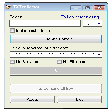
The program's interface is plain and intuitive, just a small rectangle with a few menus and buttons. First, select the directory you want to scan for files and the format you want to use. In addition to text files, TXTcollector can handle 11 other file formats, including HTML, XML, CSV, and others. Users then choose from among nine options for separators—lines of punctuation used in the finished document to demarcate the end of one of the original files and the beginning of another. Users can also create custom separators if desired or use no separator. TXTcollector also lets you specify whether or not to include the original file names, omit carriage returns, or add spaces. Once you've configured everything to your satisfaction, click the Combine all files button. The program will prompt you for a destination location and name for the file. We found TXTcollector to be extremely easy to use and performed just as expected. There's no Help file, but the interface makes everything easy to figure out. Overall, we think that TXTcollector is a useful tool if you need a quick way to turn multiple text files into one well-formatted document.
TXTcollector comes as a zip file. It installs and uninstalls without issues.
Recent updates include the release of version 2.0.2, which added a new prevention system for when you (accidentally) scan an entire disk volume or partition. This update also included minor bug fixes when scanning many files, enhancing performance and ensuring smoother operation for bulk file users.
While TXTcollector excels in its simplicity, an alternative app worth considering is TextFileMerger. Like TXTcollector, TextFileMerger combines multiple text files into one, offering more advanced options, such as batch renaming and automated formatting during the merge process. Unlike TXTcollector, TextFileMerger also supports cloud integration, allowing users to import and merge files directly from cloud storage services like Google Drive or Dropbox. This feature can be especially useful for users working across multiple devices or needing to access files from different locations. However, TXTcollector remains the better choice for users seeking a straightforward, no-frills solution for combining text files.
Bottom Line
Version 2.0.2 of TXTcollector remains stable, with ongoing improvements to user experience, especially for large-scale file combinations.
Used TXTcollector for Windows?
Explore More

Visio Professional 2013
Trial version
Kutools for Excel
Trial versionOnlyoffice Desktop Editors (64-bit)
Free
Windows NT 4.0 Service Pack 6a
Free
Simple Sticky Notes
FreeWPS Office - Free Office Suite
Free
DataNumen Excel Repair
Trial version
DataNumen Office Repair
Free
PolyEdit Lite
Free
Jarte
FreeCisdem OCRWizard
Trial versionndCurveMaster
Trial version