CNET Editors' review
Nearly every PC can get some kind of benefit from regularly cleaning out junk files, emptying system caches, and other preventative maintenance measures. While premium system cleaners emphasize deep cleaning, frequent updates, extra features, and even technical support, freeware system cleaners haven't been sitting still. System Ninja is a freeware system cleaner that includes a Junk Scanner and a Startup Manager.
When System Ninja's installation wizard finished, it asked if we wanted to open the program. We clicked OK but received an error message, and the program failed to launch. The troubleshooting guide on the program's site mentioned several possible causes. However, we were able to open System Ninja from its Start Menu entry, and it opened normally after that.
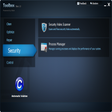
System Ninja's clean and simple interface features a vertical row of buttons for accessing its features, each of which displayed its results in the main window in a spreadsheet-style list view, with options appropriate to each. The program offers three Office-style skins to choose from, and we could add or remove ignored files, but the program's Settings don't offer much more than that.
We started with the Junk Scanner, which let us choose which areas to scan, including some fairly unusual entries like current torrent tags, incompatible files, and game caches. Like similar tools, it asked us to close our browser. The scan turned up quite a lot of stuff--more than CCleaner, which we use daily. We could select files to delete or delete them all at once. Next we tried the Startup Manager, which let us remove items from our system startup list. Be sure not to disable any important drivers or programs with this feature. The Process Manager displays running processes with the option to terminate them; again, be careful ending processes. The System Analysis feature extracts and displays all kinds of system information, including CPU, motherboard, and BIOS data. Extras include a checksum tool and folder scanner.
System Ninja did a good job, scanning and cleaning thoroughly without targeting critical files. It packs useful extras, yet it's compact, lightweight, and fast.
Publisher's Description
From The Web Atom:
System Ninja is a program for cleaning your computer of unwanted junk that constantly slows your entire system down. Apart from the useful file cleaner, the program also has a Startup Manager, Process Manager, and P3P Registry History cleaning tool. System Ninja features a powerful cleaning application which scans your computer for files that can be deleted to save hard drive space and speed up your computer.
What's new in this version: Version 2.4.2 implemented a Settings API, encapsulated all API methods into the 'API' class, Error Logging Improvements, and Numeric sorting issue resolved.
More Products to Consider
- Tune up and maintain your PC, clean registry easily.Download
Installed
Smart Install - Remove junk files and protect your system from crashes.Download
Installed
Smart Install - Add support for over 270 new programs into CCleaner.Download
Installed
Smart Install - Check system for well-known software that pose security threat ...Download
Installed
Smart Install - Find and fix incorrect or obsolete information in the Windows r...Download
Installed
Smart Install - Clean up junk files and invalid Registry entries.Download
Installed
Smart Install - Take full control over RAR and ZIP archives, along with unpacki...Download
Installed
Smart Install - Repair registry errors, remove "junk" files, and ensure your PC...Download
Installed
Smart Install - Fix, speed up, maintain, and protect your PC.Download
Installed
Smart Install - Keep your PC in tiptop shape and at peak performance.Download
Installed
Smart Install - Update PC drivers automatically using cloud technology.Download
Installed
Smart Install - Scan junk files and delete these junk files in Windows system.Download
Installed
Smart Install - Move, resize, copy, explore, and recover hard disk drive partit...Download
Installed
Smart Install - Take full control over RAR and ZIP archives, along with unpacki...Download
Installed
Smart Install - Automate any series of tasks you do on your computer.Download
Installed
Smart Install - Keep track of event logs on PC.Download
Installed
Smart Install - Configure and manage disk partitions, move, resize, copy and re...Download
Installed
Smart Install - Automate mouse and keyboard actions with PC.Download
Installed
Smart Install - Automate the process of reading news from Usenet.Download
Installed
Smart Install - Maximize your system's performance, keep your system clean and ...Download
Installed
Smart Install - Take Google's Chrome browser with you on a USB stick.Download
Installed
Smart Install - Remove the obsolete files from your PC.Download
Installed
Smart Install - Rename multiple files and folders with a variety of options.Download
Installed
Smart Install - Download and update all your Windows drivers, back them up and ...Download
Installed
Smart Install
-
All versions:
4.3 starsout of 12 votes
-
Current version:
0 stars Be the first to review this product -
My rating:
Write review
-
"Great program"
Version: System Ninja 2.4.1
Pros
System Ninja found many junk files which other programs don't look for. The SCAN FOR JUNK function found 733 files and it didn't seem to cause any problems with my computer. It seems to make it a bit faster but not a whole lot.
Cons
It takes a few minutes to run the scan for junk files but it is thorough and worthwhile to do it once every month.
Summary
Great free program that cleans out a lot of unnecessary junk.
-
"Great product, simple"
Version: System Ninja 2.4.1
Pros
Its easy to use.
And it works!Cons
Not the best for novices as it requires users to know what they are doing for the most part.
-
"saved 15gb lol"
Version: System Ninja 2.3.4
Pros
very nice cleaner!
Cons
doesnt cancel when its scanning a loung time!
-
"must have software"
Version: System Ninja 2.3.1
Pros
highly delighted with system ninja,have been using this software for
sometime.does a good job in removing a lot of junk from your systemCons
none at all
Summary
give this software a try, you will not be sorry.
-
"Appears better than CCleaner"
Version: System Ninja 2.2.1.1
Pros
Cleaned more than CCleaner
Cons
Didn't offer much info on files cleaned
-
"awsome download"
Version: System Ninja 2.1
Pros
brilliant software been using it for some time
Cons
none so far
Summary
this is a must have software for computer users. i was a little nervous for the first few times using it,but no worries it does what it supposed to do and does it good
-
"Powerful software"
Version: System Ninja 2.0.4
Pros
Very fast and efficient to find junk file anywhere in system.
Cons
Few information about why file/s to delete.
-
"First impression is excellent"
Version: System Ninja 2.0
Pros
Using it as portable app on usb stick is great
Cons
Not found any yet
-
"Power tool!"
Version: System Ninja 2.0
Pros
Can find junk files every where in windows system
Cons
No backup choice and litle explanation or reason about the file to delete.
Summary
Confused about delete or not delete the file caused no explanation why the file include in junk files scan. Some files, I think, need to remain.
-
"goes with ccleaner"
Version: System Ninja 2.0
Pros
small footprint, has c enhancer, relatively fast scan
Cons
if ccleaner is the only cleaner you use, this helps,if you use others this will not help much
Summary
this is an addition to ccleaner-if you love ccleaner(we all do) why not try this?
Add Your Review
Submit your reply
E-mail this review
Report offensive content
Previous Versions: