Used Performance Monitor for Windows?
Editors’ Review
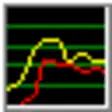
This tiny executable places four system monitoring graphs on your desktop, but we found them too difficult to read. Performance Monitor's simple settings interface makes it easy to set the visibility and colors of the four monitoring graphs, but they don't make enough of an impact. A setting to double the graph sizes just changes them from tiny to small.
Performance Monitor's graphs are easily dragged to sit anywhere on your desktop. Setting an option to make the graphs invisible to regular mouse clicks makes it easy to set them above other applications. You can move your mouse over any graph to get current information. That works better than trying to figure the scale of an unlabeled graph. The four graphs are Disk Usage, CPU Usage, Memory Usage, and Net Usage. We had to roll over each graph to see those titles.
What you don't know may not hurt you, but what you can't see surely can't help you. Performance Monitor will work for a select few with small screen resolution, but all others will need to find a better way to see how their systems are working.
What’s new in version 4.1
Used Performance Monitor for Windows?
Explore More

sp35131.exe
FreeLAN_Vista_V96310.zip
Freer1m22kw1.ZIP
Free
Qfile for Windows 10
Free
Dolphin - Best Web Browser for Windows 10
FreeSP30381.exe
Freeclj2605-PS-pnp-winx64-ge.exe
Free
NFC Writer Reader for Windows 10
Freecp003594.exe
FreeArabic Keyboard for Windows 10
Free
Zip Unlock - Unpack RAR, open zip, 7zip, gzip for Windows 10
Free
Qmanager by QNAP for Windows 10
Free











