Publisher's Description
From Sheelapps:
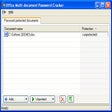
PDFTools is a PDF management application. Features: encrypt, password protect any PDF. Make encryption free PDF (owner password required for decryption). It can join multiple PDF to single PDF file. Split PDF in multiple ways (burst, odd pages, even pages, recurring page number or at given page number). Overlay/stamp text or image at any location in PDF. Built-in custom location for easy stamping. Reverse a PDF. Multiple pages on single page. Create handout pages. It can create PDF from XML file. Version 1.3 added status bar to Join and Split options.
What's new in this version: Version 1.3 adds status bar to Join and Split options.
More Popular Document Management Software downloads
- Adobe Reader X
73,134 downloads
- Foxit Reader
22,806 downloads
- Adobe Acrobat X Pro
13,720 downloads
- Office Convert PDF to JPG JPEG TIFF Free
9,552 downloads
- PDF ReDirect
7,151 downloads
-
All versions:
4.0 starsout of 38 votes
-
Current version:
3.7 starsout of 27 votes
-
My rating:
Write review
-
"Nice utility -- did just what I wanted"
Version: PDFTools 1.3
Pros
Simple to install & use; does what it says
Cons
None, really.
Summary
Unlike several other apps I tried, this one was able to simply and cleanly remove the 'Open' password from several PDF's I had been sent. I'll be keeping it for this and other functions it offers. The Pro version adds some useful features such as splitting & merging, although doing these from a context menu seems a bit odd to me.
-
"Does perfectly his job"
Version: PDFTools 1.3
Pros
I used it for merging PDFs, and it was (from far) the fastest way I've found to do it. And it works like a charm.
Cons
Poor user interface
-
"Small interface improvements would improve product"
Version: PDFTools 1.3
Pros
Simple and free product that does what it purports to do. Actually capable of joining non small pdfs. Other products claim that they join pdfs, but they typically choke on the longer ones.
Cons
The interface
Summary
One example to illustrate the frustrating nature of the interface. Take the applications "Join PDFs" dialog. You can't drag files from windows explorer onto the source files listbox. You have to click an add button and deal with the open file dialog. The files are added to the list box in a different order from the order they were selected. So then you have rejigger the join order. I spend more time doing this than anything else with this tool. Once the files are added, you can't multi select the files. To remove 3 files from the list, you have to remove each file separately. You also have to specify the output file. If you add all the source files from the same directory, the tool isn't smart enough to default the joined file directory to the source directory. You have to respecify.
These are gui issues that could easily be fixed within a few days. The product has been updated since 2006. It is doubtful it will ever be updated. -
"Quick and easy. Great for splicing.."
Version: PDFTools 1.3
Pros
I needed the software urgently to splice together several pdfs. It was free and couldn't have been simpler to figure out on the fly.
Cons
I went back later to try some cutting and pasting in lieu of just joining the documents. It was not as easily apparent as the adding/deleting pages, and I didn't have time to figure it out.
Summary
I'll spend the time to learn the features. It is intuitive, easy - you can't beat the price.
-
"Does more than I expected."
Version: PDFTools 1.3
Pros
Encrypts, decrypts, joins, splits, and rearranges PDF's and more, all for free!
Cons
Nothing I can think of.
Summary
Does everything I've wanted to do with PDF's for a long, long time. Why didn't I know about this before?
-
"Simple and works"
Version: PDFTools 1.3
Pros
The menu is simple and strict forward. Join and split PDF files easily and quickly.
Cons
Can't preview files. Nothing happen after the job done. better to have an option of openning the file right after it finished the job.
-
"Useful Tool"
Version: PDFTools 1.3
Pros
Good for decrypting pdfs (with password)
Good for splitting pdfs - even some secured ones - into individual pagesCons
Seems to no longer be updated.
Summary
This is a must have tool for me. I've been using it for many years.
-
"Exactly what I needed!!!"
Version: PDFTools 1.3
Pros
Does what it says plus more.
Cons
GUI is out of date, but it is free so no real complaints.
-
"A couple of clicks and the job is done!"
Version: PDFTools 1.3
Pros
Easy easy easy interface, not too much choice, no faffing about, really simple.
Cons
None so far. I had downloaded several different freebies but some didn't install correctly and others had a mind-boggling array of icons and buttons but still didn't actually do what I wanted to do!
Summary
This is a freebie worth having! No more shouting at the Adobe interface!
-
"Excellent software"
Version: PDFTools 1.3
Pros
Adds pdf files to pdf files, just like it says
Cons
None so far
Summary
Free, useful, what else do you want?
Add Your Review
Submit your reply
E-mail this review
Report offensive content
See more CNET content tagged:
Previous Versions: