CNET Editors' review
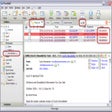
Although Outlook Express Backup's purpose is fairly narrow, it does what it does very well, with a full complement of features we expect to see in a good backup utility. Its name defines its limits; this program will back up your Outlook Express e-mail and configuration files. However, it does go a bit beyond that by also backing up Internet Explorer bookmarks and any files that you manually select. The interface is nice and clean, highlighting its three main functions: backing up, restoring, and scheduling. A wizard walks you through the creation of a backup, which is useful for novice users. The program includes essential features for a backup utility, such as the ability to schedule jobs, compression of backup files, and encryption of your archive. You also can choose the level of compression and encryption. One unfortunate drawback is that you can't include folders among the manually selected files, making it inappropriate for more general backups. This program is extremely useful for those who use Outlook Express and don't know where its files are hidden. If you can figure that out, however, a more general backup utility is a better option.Publisher's Description
From Genie9:
Create backups or archives of all your Outlook Express data with support for multiple identities to virtually any storage media using on-the-fly compression. Outlook Express Backup supports automatic media spanning and has an automatic backup scheduler. You can backup as a self-executable EXE file, this feature allows you to backup your data in the form of a standalone EXE file that can be executed on any machine even if Outlook Express Backup is not installed.
You can backup: Multiple Identities, Message Rules, All accounts, Preferences, Block Senders, Signatures, Stationery, Windows Address Book, Internet Explorer settings and Windows Favorites. you can also view e-mails inside the backup file without having to restore them first. Outlook Express Backup supports a wide selection of storage media, it can backup to hard disk locations, LAN, FTP, CD, DVD, removable devices etc ... and it gives the user a choice between 3 backup modes, Normal Backup, Incremental Backup, and Mirror Backup
What's new in this version: Version 6.5.121 may include unspecified updates, enhancements, or bug fixes.
More Popular E-mail Software downloads
- Windows Live Mail
6,437 downloads
- Microsoft Office Outlook 2007
5,084 downloads
- Mozilla Thunderbird
2,640 downloads
- Microsoft Office Outlook 2010
1,801 downloads
- Outlook Express Backup
629 downloads
-
All versions:
3.5 starsout of 34 votes
-
Current version:
3.0 starsout of 1 votes
-
My rating:
Write review
Results 1-1 of 1
-
"easy to use, but not really free"
Version: Outlook Express Backup 6.5.121
Pros
at least it works, there's not much out there
Cons
not really free, trial version.
Summary
it's either this or doing it the hard way.
Results 1-1 of 1
Add Your Review
Submit your reply
E-mail this review
Report offensive content
See more CNET content tagged:
Previous Versions: