Used On-Screen Keyboard Portable for Windows?
Editors’ Review
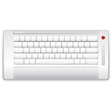
On-Screen Keyboard Portable brings up the Windows virtual keyboard and lets you take the same keyboard from one device to another. Since the settings you create for your keyboard are stored on portableapps.com, you won't have to configure your keyboard from scratch again when you switch machines.
When you run On-Screen Keyboard Portable, it automatically opens the default Windows on-screen virtual keyboard. This keyboard stays on top of all of your active windows, so you can use it no matter what you're working on, and you won't lose it under a pile of other windows. While it's really meant for use mostly with a touchscreen, this virtual keyboard is clickable with the mouse, as well, and it works fine that way, too. In order to take advantage of the portable feature of this app, you'll have to go and create a free account on portableapps.com.
All of this is free, but there are a lot of ads that pop up on the Web site. There is also no Help feature or explanation of how this program works, so you're pretty much on your own to figure it out. Luckily it's not too complicated, so it's manageable, and if you do find yourself using virtual keyboards frequently on multiple devices, this app is worth checking out.
Used On-Screen Keyboard Portable for Windows?