CNET Editors' review
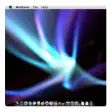
My Living Desktop is an enhancement for your Mac that lets you show a moving video loop as your desktop background (or screensaver) and it's gotten a lot of new features in recent updates.
Once the program is installed on your Mac, you can choose from 28 high-definition video scenes (six scenes in the trial) to either play as a screensaver or as a moving background while you work. The app comes with audio as well so you can immerse yourself into the widely varied living environments from snowy scenes to calming beach views. If you want more variety beyond the included scenes, you can purchase new ones at the My Living Desktop Web site for under $5, but it will probably take you awhile to get sick of what's included.
While we think My Living Desktop is a well-executed idea and definitely a unique concept, it's probably not for everybody. A moving background with sounds--no matter how beautiful--is bound to be distracting if you need to get some serious work done.
Nevertheless, if you want to try something different as your desktop or want a live-action type of screensaver and don't mind the movement on your desktop, My Living Desktop is definitely a good choice.
It's important to note that the app is only a 10-day trial with six included scenes. If you're going to download this software, make sure to check it out quickly so you can decide if you want to buy.
Publisher's Description
From Amuse:
My Living Desktop is a unique cross between a Video Desktop (moving wallpaper) and a traditional screen saver. My Living Desktop brings a whole new dimension to your computing experience by turning your Mac's desktop into a beautiful, moving environment Complete with soothing sounds. My Living Desktop provides over 2 dozen stunning (28 in all), relaxing, high definition video scenes shot from all over the world that you can use on your desktop and as a screen saver. You can even import your own movie segments to create a truly personal and unique desktop environment.
What's new in this version:
- Fixed a problem where the randomization of scenes and their star ratings are properly recognized
- Fixed an occasional bug whereby the Scenes and Settings would not come forward when selected from the menu bar
- Fixed a bug whereby the screen saver scene would switch unnecessarily sometimes when the desktop started up
More Products to Consider
- Screensaver runs QuickTime & Flash movies.Download
This download is served from an external site
closeNOTICE: This link will open a connection to a third-party site. CNET cannot ensure the security of software that is hosted on external sites.
Sponsored Products
Installed
Smart Install - Detect which music is playing and displays cover art and detail...Download
Installed
Smart Install - Dive into the ocean on your desktop.Download
Installed
Smart Install - Display your screensaver as your desktop background.Download
Installed
Smart Install - Realistic 3D fish swim around your desktop.Download
Installed
Smart Install - Like Berkeley's old After Dark.Download
Installed
Smart Install - Transform your desktop image into screen saver or return it bac...Download
Installed
Smart Install - Watch the Matrix code in 3D.Download
Installed
Smart Install - Watch the Matrix code on your screen.Download
Installed
Smart Install - Turn your OS X desktop into a realistic-looking 3D aquarium.Download
This download is served from an external site
closeNOTICE: This link will open a connection to a third-party site. CNET cannot ensure the security of software that is hosted on external sites.
Sponsored Products
Installed
Smart Install - Travel through a tunnel on your desktop with configurable color...Download
Installed
Smart Install - Add a clock screensaver with real-time minutes dropped into wat...Download
Installed
Smart Install - Customize energy saver settings for individual apps.Download
Installed
Smart Install - Hardware/software diagnostic tool.Visit Site
This download is served from an external site
closeNOTICE: This link will open a connection to a third-party site. CNET cannot ensure the security of software that is hosted on external sites.
Sponsored Products
- Create artwork, correct color, retouch scanned images.Download
This download is served from an external site
closeNOTICE: This link will open a connection to a third-party site. CNET cannot ensure the security of software that is hosted on external sites.
Sponsored Products
Installed
Smart Install - Port of the Windows Vista Bubbles screensaver.Download
This download is served from an external site
closeNOTICE: This link will open a connection to a third-party site. CNET cannot ensure the security of software that is hosted on external sites.
Sponsored Products
Installed
Smart Install - Screensaver displays quotes and messages from all over the worl...Download
Installed
Smart Install - Connect to remote Windows desktops.Download
This download is served from an external site
closeNOTICE: This link will open a connection to a third-party site. CNET cannot ensure the security of software that is hosted on external sites.
Sponsored Products
Installed
Smart Install - Turn Flash media into screensavers.Visit Site
This download is served from an external site
closeNOTICE: This link will open a connection to a third-party site. CNET cannot ensure the security of software that is hosted on external sites.
Sponsored Products
- Make video calls to iPhone 4, the new iPod touch, or another Ma...Visit Site
This download is served from an external site
closeNOTICE: This link will open a connection to a third-party site. CNET cannot ensure the security of software that is hosted on external sites.
Sponsored Products
- Uses current desktop picture as a screen saver.Download
This download is served from an external site
closeNOTICE: This link will open a connection to a third-party site. CNET cannot ensure the security of software that is hosted on external sites.
Sponsored Products
Installed
Smart Install - Enjoy one of two popular screen savers from the After Dark of t...Download
Installed
Smart Install - Expand over 30 formats: StuffIt, Zip, RAR, 7z, tar, open encryp...Download
Installed
Smart Install - Set of three popular After Dark screen savers.Download
Installed
Smart Install
-
All versions:
4.4 starsout of 14 votes
-
Current version:
0 stars Be the first to review this product -
My rating:
Write review
-
"Awesome!!!!"
Version: My Living Desktop 5.1.2
Pros
I love all the everything about it.
Cons
Yes I have a big negative about this. I only wish is it could be used on a Windows PC, I do not have a Mac so this leaves me dreaming about having this on my pc. Any chance they might make a screen saver such as this for computer?
-
"Definitely One Of My Best Purchases!"
Version: My Living Desktop 5.0.8
Pros
Great looking scenes. Well worth the price. Fast and friendly support.
Cons
I really can't think of any cons about this program.
Summary
I've been using My Living Desktop for over 2 years now. It's been running it on my 27" iMac 2.8GHz i7 with no problems at all. I can't think of one time that it ever slowed down my computer or crashed on me.The scenes are beautiful and plentiful. Whenever anyone sees my desktop it's always brings great comments(usually, what's it called and were can I get it. lol). My questions to support have been answered the same day and they update regularly. I'll never go back to static photo's. Bob
-
"Great software"
Version: My Living Desktop 5.0.8
Pros
If you're into full motion backgrounds this is great software. It comes with several loops of soothing backgrounds, my favorite being the mountaintop.
What's better, in my opinion, is that you can use your own videos for this. My girlfriend filmed a quick video of her family waving and smiling at the camera and edited it so it's her desktop. I'm not a huge fan of her family, so it's a little weird for me, but she loves it. She thinks it makes her computer more like the newspapers in Harry Potter. Yeah.Cons
I'd love to see higher-res/quality videos added to the default videos, but other than that nothing.
Summary
Great software, has been very stable and barely touches my CPU. Easy access from the menu bar to start/stop or switch scenes.
-
"My favorite Mac application, by far!"
Version: My Living Desktop 5.0.2
Pros
Everything pro. My everyday journey to my make turns to a virtual adventure through all those nature scenes. Besides, the possibility to run my own full hd movies, made in some beautiful scenarios in Central Brazil, as background makes this software worth each cents. I really love it! It is always the first application I install on my Mac.
Cons
It has no cons at all.
Summary
Go ahead and buy it. You'll not regret.
-
"Breathtaking scenes on your desktop - need I say more?"
Version: My Living Desktop 5.0.1
Pros
When at work; What a wonderful way to change your mood, or "wake" you back up after hours of looking at spreadsheets!
When at home: How much better can it be? Watching logs burning in the fireplace (I wish I had) and listening to their crackling sounds on a frigid winter night! OR, watching the waves wash up on a beautiful beach, listening to the seagulls in the background! Just like being there!
I also experienced an issue downloading a scene (most likely due to my own inexperience) and emailed the company. I had a response within moments, and was given an immediate quick fix!~ The Best Customer Service Anywhere!Cons
I can't think of any con, other than the original purchase price. Once that is over, you will have scenes that may calm you, exhilarate you, or bring back old memories!
Summary
I highly recommend this to everyone! You will never EXPERIENCE anything more exhilarating on your computer than the scenes you can choose form right here!
-
"Incredible eye candy for your Mac"
Version: My Living Desktop 5.0.1
Pros
Beautiful scenery both for a living desktop and screen saver.
Configurable CPU usage that gives "you" control over resources.
Numerous scenes to "wow" you and provide a tranquil, relaxing, environment.
Use your Mac the way it's meant to be used.Cons
None. None.
Summary
If you are like me, you are somewhat particular about what goes on your Mac. I have been using Living Desktop for Mac for quite some time and the just released update is impressive and reminds me why I love and use this app.
Even if you just use it as a screen saver, the living scenery is gorgeous and I looked forward to taking a break and just watching the scenes. Your Mac is a powerful tool and most just barely touch the surface of what it can do. If you want to see the full potential of your Mac, take a look and use Living Desktop for Mac.
You will not be dissatisfied... -
"Excellent way to enhance your work environment!"
Version: My Living Desktop 5.0.1
Pros
Simple to use! Does exactly what it claims! i dont know whats better the product or the customer service!!!
Cons
When I figure one out I'll be sure to post it.
Summary
I recommend this to any Mac user!
-
"Enhances the working enviroment of a mac computer"
Version: My Living Desktop 5.0.1
Pros
This gives you interesting desktop movies that are also screensavers. They create a point of interest for you, your visitors, for something to watch during phone calls, it keeps pixels happy and moving, & also more importantly, makes you remember to take mini breaks from working. For healthy eyes and joints it's important to move and have a stretch & a change of view. When you're busy concentrating on work, it's easy to forget the time, but this software makes it possible to have 'serenity breaks' with sound and movies on the desktop. These are relaxing & fun. The best desktop software I've ever seen & once you have the software you can expand your scenes from the integrated serene scene store or use your own movies.
Cons
I can't think of any! The product is so flexible in use & quick to turn off, so if you don't like it one day, just switch it off! I guess the only 'Con' is it's a bit expensive to start with, but once you've bought it, you don't wanna be without it.
Summary
An excellent product, very user friendly, fully integrated into 'Lion', works as much or as little as you want it to. Easy to switch on or off or to import new scenes. I love the serenity breaks as I've got them set so I don't miss coffee time or lunch time any more! I would say to anyone, Give it a go. Kevin who is the developer at Amuse software is so good to work with and gives excellent support if needed. Try it for the 10 day free trial and I'm sure you'll love it too!
-
"The app and the customer service are awesome!"
Version: My Living Desktop 5.0.1
Pros
You have a very satisfied customer, trust me. Not just for the great application, but your customer service is, and has been for every time I've needed it (and I've needed it several times over the years), just awesome! Almost immediate, and personal, responses. You just can hardly find that with internet stores.Thanks, again, for the help. I would not hesitate (and I have do so before) recommending this app to friends...
Cons
None, and I've had this app, through several versions, for years. Since the day I purchased my first iMac.
-
"Version 5.0 is a superb upgrade!"
Version: My Living Desktop 4.9.3
Pros
Lion friendly, gorgeous and relaxing scenes, ability to upload one's own videos, MLD automatically disables when computer isn't connected, and can show/hide desktop.
Cons
Should be available as an APP! Get with it Apple!
Summary
I don't think so much as an enhancement as an integral part of the Mac experience!
Add Your Review
Submit your reply
E-mail this review
Report offensive content
Previous Versions: