MaxBulk Mailer for Windows
- By Maxprog
- Trial version
- User Rating
Used MaxBulk Mailer for Windows?
Editors’ Review
MaxBulk Mailer for Windows is a program designed to help people send personalized e-mails to large quantities of people. While it has a lot on its upside, the program also proves to be a little vague for inexperienced users.
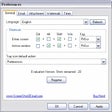
This e-mail program should feel recognizable to users familiar with professional quality e-mail programs such as Microsoft Outlook. With a series of tabs taking users through the process of writing and sending bulk e-mails, people almost don't need to visit the Help file. If they do, e-mail senders will be treated to an in-depth dissection of MaxBulk's functions. Creating an e-mail moved smoothly and quickly, giving us options for attachments and a full range of word processing tools. Creating an address book can be tedious entering each name individually; however, entire lists can be imported with a few quick and painless clicks, which was an enormous time saver.
One feature we liked was the program's capability to use to customize the sender's information so it can provide anonymity. But one feature we felt was lacking was the program's capability to perform Mail Merges. This can be an indispensable tool for customizing e-mails, but the Help file does little to clarify how to perform a mail merge. Prior experience is certainly a plus. However, with its smooth interface, some thoughtful additions and easy navigation we found this 30-day trial to be a good download option for anyone looking to reach a lot of people with a single e-mail.
What’s new in version 8.5.6
MaxBulk Mailer for Windows
- By Maxprog
- Trial version
- User Rating
Used MaxBulk Mailer for Windows?
Explore More

OpenProtocols Connectors
Trial version
Kernel for OLM to PST
Trial versionDocstoc OneClick
FreeBackupTool for Outlook Express
Trial version
Clyton
Trial version
Password Recovery Toolbox for Outlook Express
Trial versioneCheker
Trial versionScreenShot2Email
Trial versionDisk Doctors Email Recovery
Trial version
Outlook 2002 Update: December 4, 2002
Free
Extract Email Addresses From Text & HTML Files Software
Trial version
Update for Microsoft Office Outlook 2007 (KB937608)
Free