Used Magix Xtreme Print Studio for Windows?
Editors’ Review
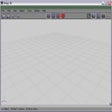
MAGIX Xtreme Print Studio offers a fairly easy tool for creating cases and labels for your CDs and DVDs. It's not the most intuitive program we've used, but with a bit of experimentation, we caught on pretty quickly.
It's not always easy to find what you're looking for in the program's interface. For example, we couldn't find an Insert button or command for adding images to our work. What we wanted was actually the Import command, but in searching the Help file we learned that you can also drag and drop images from Explorer. We like that the program comes with a variety of templates for different CD and DVD packages, although it might not be obvious to everyone which template needs to be used for a particular project. Perhaps our favorite feature was the Edit Playlist function; this brings up a separate screen where users can select a cover image and then enter the title and duration of each track. This makes for an extremely quick and easy way to create basic CD packaging that you can leave as-is or customized further by adding more images, liner notes, and more. Overall, we found the program fairly easy to use, and we think it's a much better choice than using a Sharpie and an index card--not that we've ever done that!
MAGIX Xtreme Print Studio is free, although it does require registration after seven days. It installs and uninstalls without issues. We recommend this program to all users.
Used Magix Xtreme Print Studio for Windows?
Explore More

Sponsored
Adobe Stock
Trial version
Texture Maker
Trial version
uDig (64-bit)
FreeEtchTone Photoshop Plug-in
Trial version
Synergy KaleidaGraph
PaidCutline Photoshop Plug-in
Trial version
Free Tshirt Maker
FreeTexNotes Pro
Trial versionZinc Pocket PC
Trial version3D-Wohnraumplaner
FreeMDM Capture
Trial version
Free Pamphlet Maker
Free