Publisher's Description
From Totusoft:
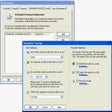
LAN Speed Test is designed to be a rock solid tool to measure your file transfer and network speeds (wired & wireless) easily and accurately. It does this by building a file in memory, then transfers it both ways (without effects of windows file caching) while keeping track of the time, and then does the calculations for you. Simple concept and easy to use. You'll find that LAN Speed Test will quickly become one of your favorite network tools. As with all Totusoft software, LAN Speed Test is completely portable - no dll's or registry entries.
What's new in this version: Version 1.1.7
- now builds the large test files on the fly in 1 MB chunks instead of the whole thing at once allowing you to test with an unlimited sized test packet and LAN Speed Test while only taking a maximum of 10 MB of your RAM
- All results are now correctly displayed as decimal instead of binary formats(i.e. 1 MB = 1,000,000 instead of 1,048,576)
- current MB being written or read is displayed in status box
- minor bug fixes and internal updates
More Popular Network Tools downloads
- Freegate
7,288 downloads
- Wi-Fi HotSpot Creator
3,106 downloads
- Wireless Network Watcher
2,522 downloads
- Technitium MAC Address Changer
2,092 downloads
- Angry IP Scanner
2,084 downloads
- SMAC MAC Address Changer
1,761 downloads
- LAN Speed Test
1,513 downloads
- CommView for WiFi
1,464 downloads
- Look@LAN Network Monitor
1,409 downloads
-
All versions:
3.3 starsout of 20 votes
-
Current version:
2.7 starsout of 6 votes
-
My rating:
Write review
Results 1-6 of 6
-
"Very helpful and easy!"
Version: LAN Speed Test 1.1.7
Pros
Just what I needed to test the throughput between my computers and NAS. File transfers were taking a while and were about 6 Mbps. This too basically let me know that my Gigabit connection between my pc and NAS over a CAT 6 was running slow... Time to check out the topology.
Cons
Instructions for use were not "in your face" step-by-step but I figured it out.
Summary
Good for peer to peet network throughput checking. Definitely not Enterprise class but great for the SMB.
-
"This software is crippled"
Version: LAN Speed Test 1.1.7
Pros
They do a good job tricking you into downloading it.
Cons
If you want to see your throughput in MBPS, you have to send them $5.00 . Or get out your calculator
Summary
It's a crippled version, for free! Look for something else. FastCopy will do the same thing and give you the MBPS and it is not CrIpPlEd!
-
"Simple, quick and easy to use"
Version: LAN Speed Test 1.1.7
Pros
Simple, quick and easy to use
Cons
With some computers in the network the wireless adaptor's write speed is much faster than it's read speed. It's odd, but according to the author, that's because of the write cache of the HD kicking-in when writing to the target network folder. However writing to the same network folder from another computer with another network adaptor does give opposite results (i.e Write speed is less than the read speed). If the HD cache was the reason for faster writes than reads, why do i get an opposite result accessing the same net folder from a different computer?. That to me tells that it's not really the HD cache causing the discrepencies but something else is wrong with either the software or the network adaptors used to test the LAN speed.
Summary
As it stands, the reliability of the test results are questionable, so use it at your own risk.
-
"ok for simple tests."
Version: LAN Speed Test 1.1.7
Pros
it will give you a quick, easy to interpret, estimate of your LAN speed.
Cons
too simple if you want detailed reports. i.e. i want to know how fast i'm getting data from my ISP to the router and THEN from the router wirelessly to my laptop. the app doesn't seem to tell me that.
-
"Quick and easy...generally informative"
Version: LAN Speed Test 1.1.7
Pros
Simple, clean
Cons
Limited, comparitve performance metrics
-
"Great program but beware the other programs it installs"
Version: LAN Speed Test 1.1.7
Pros
I ran this a few times and it works really well
Cons
It secretly installs incredimail, a toolbar and some other programs while its running. I suddenly had icons popping up on my desktop that I didnt want. Then the incredimail installer popped up and no mater what I did it couldnt be closed or stopped.
Took me about half an hgour to remove all the stuff it added to my PC. Doesnt look like virus or trojan as my scanner came up clean, just very very annoyingSummary
Find another tool
Results 1-6 of 6