CNET Editors' review
Polyphony's Keyboard Manager Deluxe is a sort of super macro utility that can assign hotkeys to shortcuts, objects, and text, including plain or formatted text, but it does much more. It can activate pretty much anything in your system with a few simple keystrokes: programs, printers, drives, files, folders, Web pages, and even DOS files. You can use it for click-free pasting of objects, sounds, images, and stuff like logos and links in documents, which can save time if you find yourself inserting the same things over and over.
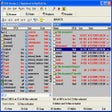
This compact utility downloads and installs quickly but requires a reboot to finish the installation because it changes the keyboard's relationship to the operating system, though the interface is accessible prior to rebooting. The interface itself is intriguing; a keyboard facsimile with three big control buttons: Key Combination Assignment List, Options, and Help, the latter accessing a fully indexed Windows-style help file that does a great job explaining how the program works. There's also a button to buy or register the program, which is free to try for 30 days, though the basic demo version has some limitations, such as the inability to create hotkeys to shortcuts or objects.
We tried Keyboard Manager Deluxe in Vista and Windows 7. It's totally easy to use: Click a color-coded key image to select an available key, choose a hotkey combination, and configure it in a pop-up dialog. Clicking the key combination activates the hotkey's action, which is not only cool but also incredibly useful. We recommend it to all users.
Publisher's Description
From Galloway Software:
With Keyboard Manager Deluxe you can use your keyboard hotkeys and have them be assigned to shortcuts, text, and objects. You can press hotkeys to open drives, folders, programs and other file types, the control panel, printers, DOS applications, and Internet webpages. Allocate plain or formatted text, entire files, folders, images, sounds, and other objects to hotkeys for automatic, click-free pasting. Keyboard Manager includes a main, keyboard window, which contains a standard keyboard layout, where you can select key combinations for functionality assignment creation and editing.
More Products to Consider
- Create hot keys for click-free pasting.Download
Installed
Smart Install - Fix, speed up, maintain, and protect your PC.Download
Installed
Smart Install - Clean up junk files and invalid Registry entries.Download
Installed
Smart Install - Tune up and maintain your PC, clean registry easily.Download
Installed
Smart Install - Zip and unzip files instantly, protect them by encryption, or b...Download
Installed
Smart Install - Take full control over RAR and ZIP archives, along with unpacki...Download
Installed
Smart Install - Update PC drivers automatically using cloud technology.Download
Installed
Smart Install - Move, resize, copy, explore, and recover hard disk drive partit...Download
Installed
Smart Install - Take full control over RAR and ZIP archives, along with unpacki...Download
Installed
Smart Install - Delete or shred files in bulk with Deletor using a window or a ...Download
Installed
Smart Install - Manage all your notes and web pages in the form of a tree.Download
Installed
Smart Install - Configure and manage disk partitions, move, resize, copy and re...Download
Installed
Smart Install - Search, view, and modify records of text Clipboard data.Download
Installed
Smart Install - Keep your PC in tiptop shape and at peak performance.Download
Installed
Smart Install - Search, view, and modify records of text Clipboard data.Download
Installed
Smart Install - View and edit most graphics formats simply and quickly.Download
Installed
Smart Install - Find and fix incorrect or obsolete information in the Windows r...Download
Installed
Smart Install - Edit part of an audio file without changing the remaining part.Download
Installed
Smart Install - Read e-mail and news the way you want it, with intelligent junk...Download
Installed
Smart Install - Assign shortcuts text and objects.Download
Installed
Smart Install - Edit part of an audio file without changing the remaining part.Download
Installed
Smart Install - Download and update all your Windows drivers, back them up and ...Download
Installed
Smart Install - Find and remove duplicate files from your PC.Download
Installed
Smart Install - Add an on-screen assistant for blind typing to your Windows PC.Download
Installed
Smart Install
-
All versions:
5.0 starsout of 2 votes
-
Current version:
5.0 starsout of 2 votes
-
My rating:
Write review
Results 1-2 of 2
-
"SAVES ME LOTS OF TIME!!!"
Version: Keyboard Manager Deluxe 2.18
Pros
I respond to a lot of e-mails throughout the day, and KM helps me store and quickly access the common sentences and phrases that I use on a regular basis. I can easily paste sentences or phrases that I commonly use while typing my e-mails.
Cons
None that I can think of.
Summary
A tool that really does saves time and money. Based on my experience, it is worth much more than the asking price.
I might add that I also find it useful for launching common applications, web pages, and opening folders.
With the keyboard interface that is provided, it is very easy to setup and although I am sure it will handle more, I have well over 150 shortcut assignments defined. -
"AWESOME!!!"
Version: Keyboard Manager Deluxe 2.18
Pros
I love how I can store my e-mail address and passwords.
Cons
Nothing....
Summary
This really is the best software! Great support.