Used Indigo Terminal Emulator for Windows?


Editors’ Review

Download.com staff
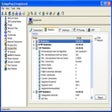
Indigo is a powerful terminal communication application supporting Telnet and RS232. It offers extensive features for managing multiple sessions and data formats.
  • Pros

    • Supports numerous connection protocols including SSH1, SSH2, and RAW.
    • Advanced data converter displays incoming data in multiple byte formats.
    • Comprehensive logging with automatic file generation.
    • Command library and auto-repeater for efficient command execution.
    • Scripting system for advanced session control.
  • Cons

    • Does not mention support for modern SSH versions beyond SSH2.
    • No explicit mention of terminal emulation types like VT100.
    • User-defined custom formats for data conversion are complex.
    • Serial pass mode may require advanced configuration.
    • Advanced scripting may have a steep learning curve.

Used Indigo Terminal Emulator for Windows?


Explore More


Full Specifications

GENERAL
Release
Latest update
Version
2.0.112
OPERATING SYSTEMS
Platform
Windows
Operating System
  • Windows 7
  • Windows XP
  • Windows 10
  • Windows Server
  • Windows ME
  • Windows 2000
  • Windows 2003
  • Windows NT
  • Windows Vista
  • Windows 98
Additional Requirements
None
POPULARITY
Total Downloads
82,913
Downloads Last Week
0

Report Software

Program available in other languages


Last Updated


User Reviews

3/5

8 User Votes


Developer’s Description

Communicate with Telnet and RS232 enabled devices and servers.
Indigo is a powerful multi-window session based terminal communication software for telnet and serial communications. Indigo offers a comprehensive collection of tools and functions unmatched in competing terminal software. Indigo is a complete replacement for TELNET and HYPERTERMINAL supporting the following connection methods and communication protocols: TELNET, SERIAL (RS232), REXEC, RSH, RLOGIN, ECHO, DAYTIME, CHARGEN, RAW, SSH1, SSH2, and SSH AUTO. Indigo also includes a Data Converter feature that allows you to view the incoming data in multiple byte representation formats such as ASCII, DECIMAL, HEXADECIMAL, OCTAL, BINARY, or even a user-defined custom format.

Other features include an advanced data logging method to log session data over time and auto generate new log files based on file size or date changes, a command library that allows file based storage of commonly used command sets, an auto command repeater tool that enables you to send a repeated command or repeated list of commands to a terminal session at a user defined interval, hotkey accessible macro commands for quick access to frequently used command instructions, a custom data formatting tool that allows a customized representation of each data byte, syntax text coloring to make certain text detected in the session data stand out , a serial pass mode that allows the utilization of two com ports to preview the data being transferred between two devices, a scripting system that allows custom scripts to handle terminal data received from the connected session or for the scripting of commands to be sent to the connected session.


Download.com
Your review for Indigo Terminal Emulator