Used HardInfo Free Edition for Windows?
Editors’ Review
This application provides comprehensive details of your PC's software and hardware and allows you to benchmark its performance.
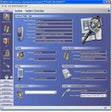
HARDiNFO 2005 Professional's well-designed interface is organized into seven main categories, including System, Peripherals, and Devices. Each section offers multiple subcategories, and information is neatly displayed within each area. The program allows you to generate reports for each section and save them in text or HTML files, although the demo version won't display the full report. HARDiNFO 2005 Professional also displays running processes and Windows services, and provides access to system tools like the Registry Editor.
While the information-gathering process wasn't lightning-quick, the wait time was acceptable, especially with the details the application provides. The program also allows you to test essential components, including the CPU, hard disk, display, and network connection. Results are displayed in clear, simple graphs, and you can compare your computer's test results to other system benchmark results. Intermediate to advanced users will appreciate the detailed system information that HARDiNFO 2005 Professional provides.
What’s new in version 5.01-build-2920
- Improved CPU detection.
- Improved DirectX detection.
- Improved 3D Benchmark.
- Improved font size scalings for lower resolution monitors.
- Added German language.
Used HardInfo Free Edition for Windows?
Explore More

Car Scanner Pro
Paid
HP Scanjet 2400
FreeEpson Perfection 1250
Free
Microsoft Deployment Toolkit 2012 (64-Bit)
Free
USB Drive SpeedUp
Free
Robo 3T
Free
EF AutoSync Portable (64-bit)
Trial version
Mango Whiteboard Animation Maker
Free
MvPCinfo
Trial version
EF AutoSync Portable
Trial version
EF AutoSync (64-bit)
Trial version
EF AutoSync
Trial version