Version: 2008
  • On CHOW: 8 things you shouldn't eat at work
advertisement
Click Here

File Splitter 4.5a

  • Quick specs
  • Price: Free
  • Operating system: Windows 95/98/Me/2000/XP/NT
  • Date added: September 19, 2005
  • Total Downloads: 96,877
  • Downloads last week: 353
  • See full specifications
Tested spyware free

CNET editors' review

Reviewed by: CNET Staff on February 27, 2009

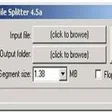
Sometimes it's easier to split up a large file than to transfer or back up the whole thing. File Splitter is a free utility that does just that, as well as joining split files. It doesn't require installation, but in other respects we found it a bit inconvenient to use. Its main flaw is that it can't create self-joining file sets. The interface is clear, but it only provides built-in settings for splitting files onto floppy diskettes; many users will want to create files for burning to CDs, if not to DVDs. File Splitter did show good speed in our tests, however, and if you don't mind figuring out the target file sizes yourself, it's an effective tool for cutting unwieldy files into manageable bits.
 
Convert video files between various video & audio formats.

Publisher's description

From WhitSoft Development :

Weighing in at only 41KB this tiny program will split up files into any number of chunks and sizes. The first and best file splitter on the Internet. First released in 1998 and is making a come back as the best handy file splitter. File Splitter allows you to split a file into multiple fragments of a specified size. These files can then be sent over the Internet and can be reassembled, or 'spliced' together, at the other side. This is especially useful when sending a file that is larger than an email provider will allow for file attachments. New to this version is a 'floppy disk mode' which will allow you to split and splice files directly to and from floppy disks. Also, there is a new interface with a progress bar. This program is written in non-MFC Win32 C++, and should not need any additional files to run.


More popular File Management downloads

  1. 39,481 downloads 1. Easeus Partition Master Home Edition
  2. 25,579 downloads 2. DupeRAZOR Duplicate Files Removal Kit
  3. 19,305 downloads 3. Easeus Data Recovery Wizard Free Edition
  4. 8,992 downloads 4. GoodSync
  5. 8,060 downloads 5. HJ-Split
  6. See all File Management downloads
 
Continuous Data Protection.


User reviews

  • All versions:
    4.5 stars
    out of 22 votes
    • 5 stars
      16
    • 4 stars
      3
    • 3 stars
      2
    • 2 stars
      1
    • 1 stars
      0
  • Current version:
    4.5 stars
    out of 22 votes
    • 5 stars
      16
    • 4 stars
      3
    • 3 stars
      2
    • 2 stars
      1
    • 1 stars
      0
  • My rating: 0 stars Write review
  • 5 stars

    4 out of 4 people found this review helpful

    Version: File Splitter 4.5a

    "Fantastic little thingy"

    by kevingpo on December 7, 2005

    Pros: I had a 4GB ISO image file. Somehow I could not copy it onto my Sony USB portable 80GB HD. (I think it was WindowsXP limitations). Windows says file is too large to copy onto the portable HD.

    So I used WhitSoft File Splitter 4.5a and splitted it up into 1GB segment files. I was then able to transfer the 1GB files onto my Sony portable HD. Then I connected my USB portable HD to another PC to transfer the files onto it. Then I used the same small program to "splice" (stick together) the "segmented" files. Woala! The ISO image file was in perfect condition.

    Amazing little program. It's only 41k! I can't believe such a tiny program can do a enormous task!

    5 stars goes to WhitSoft File Splitter!!!

    Cons: Nothing. Just a little plain and no flashy graphics or GUI.

    Was this review helpful? YES | NO

    Reply to this review

  • 4 stars

    2 out of 2 people found this review helpful

    Version: File Splitter 4.5a

    "good stuff, worth downloading"

    by pewterpainter on October 10, 2005

    Pros: downloaded it, split a large file in half, spliced it together-no problems...split it into 100mb chunks (original 756mb), spliced it together-no problems. Burned the chunks to 2 cds, rebooted, then copied the chunks to a blank folder, spliced them-no problems. Few options, more are not actually needed, does what it needs to. That's all I ask. No adware, spyware, or anything.

    Cons: Unable to put the program into a menu when downloading it. Save it to a file, and run it when you need to, but dont bother looking for it in your programs drop-down, it isnt there. As I said, save it to file or floppy, double-click to use it. Simple enough solution to the only problem I could find.

    Was this review helpful? YES | NO

    Reply to this review

  • 5 stars

    2 out of 2 people found this review helpful

    Version: File Splitter 4.5a

    "IT WORKED!!! Muchas Gracias!!"

    by maxfaction on September 28, 2005

    Pros: IT WORKED!! IT WORKED QUICKLY & OH YEA, IT WORK!! OH YEA, IT WAS FREE!! HIGHLY RECOMMENDED UTILITY!! I didn't use a file splitter in a long while, and I had an emergency with a client. :-( I downloaded 3 different (shareware/pay-for) file splitters before I got this one. I wasn't expecting it to work so well, I was ready to toss in the towel right before I got this program. To my surprise the damn thing worked beautifully & fast too!! I'm not exactly hispanic, but I have to urge to say Muchas Gracias!!

    Cons: It's its not the prettiest thing, and it doesn't come with directions, but I promise its a simple 3 step process to split/rejoin. The assumption is that if you know what it is you'll probably know to use it in no time. I did a simple test on a small file so I figure it out after one trial/error attempt...and that's saying alot for a program you've never used before. But for someone that isn't generally computer savvy (NOT TECHY, gernerally computer savvy), they may have a slight learning curve without directions.

    Was this review helpful? YES | NO

    Reply to this review

  • 5 stars

    1 out of 1 people found this review helpful

    Version: File Splitter 4.5a

    "Just what I needed: Lite, Simple, No Adware, Does the job"

    by kenosukae on February 26, 2006

    Pros: This program is small and does the job well. There's no adware the mysteriously connecting to their mothership behind your back. It is a stand-alone program so you don't need to install it. If you don't like it, just delete the program file and there's nothing left behind. (But why would I want to delete such a great program!) The GUI is simple and easy to use. There are 5 segment sizes listed BUT you can manually put in any size you want.

    Cons: None for me. But a little Help button that explains how to use it might be useful for some people.

    Was this review helpful? YES | NO

    Reply to this review

  • 5 stars

    1 out of 1 people found this review helpful

    Version: File Splitter 4.5a

    "it is really useful and simple"

    by mmrs on September 27, 2005

    Pros: it is really useful and simple

    Was this review helpful? YES | NO

    Reply to this review

  • 5 stars

    Version: File Splitter 4.5a

    "Fumciona excelente."

    by kannabis1703 on January 15, 2010

    Pros: Es un programa gratuito, y funciona excelente, sin trampas ni engaños.

    Cons: Yo no tengo ningún comentario adverso para este programa gratuito

    Summary: Puedes usarlo con confianza, la verdad es que es fantástico.

    Was this review helpful? YES | NO

    Reply to this review

  • 5 stars

    Version: File Splitter 4.5a

    "absolutely love it!!!"

    by demonic_pixie on July 22, 2009

    Pros: it's easy to use, very clear cut, no installing just a simple download IT EVEN WORKS WITH VISTA!!! biiiig plus there!

    Cons: none whatsoever!

    Was this review helpful? YES | NO

    Reply to this review

  • 5 stars

    Version: File Splitter 4.5a

    "better than hjsplit..."

    by baconlynz on July 6, 2009

    Pros: its simple..and works, what more to say?

    Cons: same as above, it does what it should....

    Was this review helpful? YES | NO

    Reply to this review

  • 5 stars

    Version: File Splitter 4.5a

    "Does the Job"

    by achrintist on March 8, 2009

    Pros: It Does the job.

    Cons: What else do you need?

    Was this review helpful? YES | NO

    Reply to this review

  • 5 stars

    Version: File Splitter 4.5a

    "Exctly as advertised!"

    by TheSubRiderof618 on December 19, 2008

    Pros: Works wonderfully, and FREE. What else could one ask for?

    Cons: None Noted

    Was this review helpful? YES | NO

    Reply to this review

  • Write review

Submit your review

Log in or create an account to submit your review for:

File Splitter 4.5a

ORLog in with your Facebook account
1. Rate this product:
(Mouse over the stars to rate this product and click to set your rating.)
2. One-line summary:(Summarize your review in one line. 10 characters minimum; required.)
0 of 55 characters
3. Pros:(Tell us what you like about this product. 10 characters minimum; required.)
0 of 250 characters
4. Cons:(Tell us what you don't like about this product. 10 characters minimum; required.)
0 of 250 characters
Bottom-line summary:(Explain to us in detail why you like or dislike the product, focusing your comments on the product's features and functionality, and your experience using the product. This field is optional.)
0 of 5000 characters

The posting of advertisements, profanity, or personal attacks are prohibited.
Click here to review our site terms of use.

Submit
See more CNET content tagged:
floppy disk

Previous Versions:


advertisement
Click Here

Error

ERROR MESSAGE

If you think this is an error, please contact CNET TechTracker Support for further assistance.

Ok

Running Request

loading

Smart Install Software

CNET TechTracker will now automatically install software without requiring further action by you. (Note: This feature automatically accepts associated EULAs and third party applications on your behalf.)

You have selected the following software to Smart Install:

CNET TechTracker will attempt to install this software without interrupting you again. If an application requires manual installation, CNET TechTracker will download the installer and prompt you to take further action.

Proceed with Smart Install?

Do not show this message again

Confirm Download and Open Cancel