Features
-
License:
Free
- Editor's Rating:
- Average User Rating:
-
Downloads:
28,267
- Operating Systems:
Windows Me, Windows XP, Windows 2000, Windows NT, Windows 98
- Additional Requirements:
Windows 98/Me/NT/2000/XP, Visual Basic Runtime Module 6.0
- Limitations:
No limitations
- Date Added:
June 28, 2005
Publisher's description of Dr. System
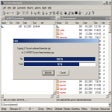
Dr. System operations are faster than regular system maintenance tasks, because Dr. System runs the standard Microsoft Windows system utilities in a highly optimized environment. Because most other functions on your PC are disabled in this environment, there are fewer external applications writing to disk or using up your valuable system memory while these programs run.
- See more CNET content tagged:
- Dr.,
- Microsoft Windows,
- PC
Editor's review of Dr. System
stars
- "Dr. System"
- Version reviewed: Dr. System 2.1.53
More popular Diagnostic Software downloads
- 936,158 downloads 1. Advanced SystemCare Free
- 46,169 downloads 2. CCleaner
- 35,394 downloads 3. Advanced SystemCare Pro
- 24,093 downloads 4. Wise Registry Cleaner
- 8,186 downloads 5. FreeRAM XP Pro
- See all Diagnostic Software downloads
User reviews
- Average user rating: 3.8 stars out of 5 votes
- My rating: 0 stars Write review
-
Showing 5 of 5 user reviewsSee all 5 user reviews
This software version | All versions -
2 out of 6 people found this review helpful
Version: Dr. System 2.1.53
Pros: this program def help you optimize your pc.. could use more options though.. such as a real scheduler, and ability to delete web files as well..
-
3 out of 3 people found this review helpful
Version: Dr. System 2.1.53
"Good features and Easy to Use"
Pros: - A Free Alternative to PowerDefrag
- Easy to Use
- FREE
Cons: - ?
-
0 out of 2 people found this review helpful
Version: Dr. System 2.1.53
Pros: i like that i could shedule all things and leave my pc - and in the morning its all done - and running smoothly
Cons: 1. when you check all major groups - it will schedule scandisk again and again - strange that author hasn't fixed this - or noticed it
i have tried this program on two pc's and both of them have scanned hard disk for 24 hours - till i manualy cancel scanning
2. there are better junk file removals out there
-
2 out of 2 people found this review helpful
Version: Dr. System 2.1.53
Pros: Easy to use and best of all FREE
-
1 out of 3 people found this review helpful
Version: Dr. System 2.1.53
"its allright... not the best I suppose"
Pros: shows a nice a pie chart of your available space versus your used space...
Cons: lots of errors in the program
annoying sounds
stupid graphics make it look a bit childish i thought...
- See all 5 user reviews Write review
Submit your review
You must be 13 years of age or older to submit personal information to CNET Networks. In compliance with the Children's Online Privacy Protection Act of 1998, CNET Networks does not accept name and e-mail address information from users who are under 13 years of age.
All submitted ratings and written comments become the sole property of CNET Networks, Inc. (CNET) and may be used at CNET Networks' sole discretion. Ratings and written comments are generally posted within two to four business days in batch groups, not in real time. However, CNET Networks reserves the right to remove or refuse to post any submission for any reason. You acknowledge that you, not CNET Networks, are responsible for the contents of your submission.
CNET Networks is not responsible for the content of the publisher's descriptions or user reviews on this site. We encourage you to determine whether this product or your intended use is legal. We do not encourage or condone the use of any software in violation of applicable laws. CNET Download.com does not sell, resell, or license any of the products listed on the site. We cannot be held liable for issues that arise from the download or use of these products.