- Quick specs
- Price: Free
- Operating system: Windows NT, Windows 2000, Windows 98
- Date added: November 28, 2001
- Total Downloads: 64,725
- Downloads last week: 66
- See full specifications
- Average user rating: stars out of 28 votes
See all user reviews
Publisher's description
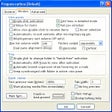
From MajuSoft :From the developer: ""DirPrinting is a simple program for viewing and printing directories. It offers a drive/directory window and a file list, which can be arranged and sorted according to various criteria. This list can be send to any printer (printing preview and storage included). Functions as 'copy to clipboard', 'save as file', 'send by email', 'include subdirectories' or 'file filter' are now available.""
This update features minor enhancements and bug fixes.
More popular File Management downloads
- 35,688 downloads 1. Easeus Partition Master Home Edition
- 13,121 downloads 2. GoodSync
- 8,008 downloads 3. Unlocker
- 7,690 downloads 4. VirtualLab Data Recovery
- 7,366 downloads 5. HJ-Split
- See all File Management downloads
User reviews
- Average user rating: 4.4 stars out of 28 votes
- My rating: 0 stars Write review
-
Showing 5 of 25 user reviewsSee all 25 user reviews
This software version | All versions -
Version: DirPrinting 0.8.5
Pros: Nothing special.
Cons: Microsoft offers free batch file instructions to do the job better.
-
1 out of 1 people found this review helpful
Version: DirPrinting 0.8.5
"excellent start - sweet and simple!"
Pros: quick and easy to find my folders; fast and I love the clipboard feature so I don't have to go find the file to read and edit . . . thank you!
Cons: no way to knock out the extra information, like size and file type . . . I was looking that would give me a straight, pur list of folder names with no other information I would need to edit . . . but this is a great little program!
-
Version: DirPrinting 0.8.5
Cons: no option to choose file saving directory, confusing installation setup, doesn't read other languages besides alphaphets.
-
Version: DirPrinting 0.8.5
"Quick install + Quick to Learn = Immediate Results, Can't go wrong with this one"
Pros: Does what it says it does. Really like how you can highlight every other row.
Cons: Can't change font size or color of the row highlight.
-
Version: DirPrinting 0.8.5
Pros: Easy to use
- See all 25 user reviews Write review
Submit your review
- See more CNET content tagged:
- printing
Previous Versions: