- Quick specs
- Price: Free
- Operating system: Windows 2000/XP/Vista
- Date added: October 11, 2007
- Total Downloads: 21,062
- Downloads last week: 159
- See full specifications
- Average user rating: stars out of 7 votes
See all user reviews
Publisher's description
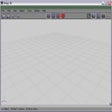
From Asp Information Services :Make every day a free passport photos day. Why pay up to $20 when you can turn your favorite photos into format acceptable for U.S. passport application. This easy-to-use software will let you do it in less than two minutes. Version 0.4 features support for Vista.
What's new in this version:
Version 0.4 features support for Vista.More popular Image Editing Software downloads
- 161,400 downloads 1. IrfanView
- 148,645 downloads 2. PhotoScape
- 37,450 downloads 3. Adobe Photoshop CS4 Extended
- 30,339 downloads 4. FastStone Image Viewer
- 11,589 downloads 5. GIMP
- See all Image Editing Software downloads
User reviews
- Average user rating: 2.7 stars out of 7 votes
- My rating: 0 stars Write review
-
Showing 4 of 4 user reviewsSee all 4 user reviews
This software version | All versions -
Version: DIY Passport Photos 0.4
"Free software, learn how to use is easy."
Pros: Free software, upload to your favorite Photo's printing service and save lots of money, $0.20 for 6 passport size photos.
Cons: First time user may not like the program because only function that work is import and export, and you have to played around to find out how this program works, but it's worth spending a few minute to find out how. See bottom line summery on how to.
Summary: I like this, it save me MONEY!!!
Note: You must installed Microsoft Framework to use this program.
After installed the software. Open DIY passport photo from Start menu. under File menu, click import, then pick your photo.
Fit white f... read more >> -
0 out of 1 people found this review helpful
Version: DIY Passport Photos 0.4
Pros: free....but so what
Cons: non functional
Summary: imports the file nice and quick but then won't do anything with it!!
-
Version: DIY Passport Photos 0.4
"This works! (I have Vista x32)"
Pros: Absolutely Free. Save money doing your own passport photos.
Cons: No help function. I had to play around with it a little bit to understand the process. I had issues when the program is maximized (view); I cant seem to drag the crop lines. However, when I re-opened it up on it's default size when open, it worked.
Summary: THIS SOFTWARE WORKS! You just need a little patience navigating through the program. I spent $0.20 total (one 4X6 sheet) for passport photos for my 2 kids and myself. I saved at least $25 just doing it myself. SHWEET!
-
0 out of 1 people found this review helpful
Version: DIY Passport Photos 0.4
"Did not work on my Vista (x64) PC"
Pros: Free. (But see Cons)
Cons: A waste of money.
Summary: Non-functional - you can import a photo. and then you can import another..... I couldn't get anything else to respond at all.
- See all 4 user reviews Write review
Submit your review
- See more CNET content tagged:
- Microsoft ASP,
- information service
Previous Versions: