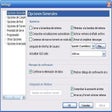
Cursor Translator for Windows
- By Authorsoft
- Trial version
- User Rating
Used Cursor Translator for Windows?
Editors’ Review
Download.com staff
Top Recommended Alternative
Pros
- Translates words on screen by mouse cursor movement
- Supports 53 languages, including Chinese variants
- Quick language swap with a single click
- Tool window is resizable and dockable
- Compatible with Windows 10 (32/64-bit)
Cons
- Requires mouse cursor movement for translation
- Translation disabled unless SHIFT key is pressed
Cursor Translator for Windows
- By Authorsoft
- Trial version
- User Rating
Used Cursor Translator for Windows?
Explore More

DeepL
Free
Easy English Platinum
Trial version
Speak N Spell
Free
Rosetta Course Japanese
Paid
Varamozhi: Transliteration Based Malayalam Text Editor
Free
Dictionnaire Kikongo
FreeVerbe
Trial version
VIKI Translator
Free
Merriam-Webster Unabridged Dictionary
Trial version
Bangla eLearning Companion
Trial version
Lingua Translator
PaidRosetta Course Italian
Paid