Publisher's Description
From Takashi T. Hamada:
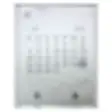
CalendarOnDesktop is a little application that displays calendars on the desktop of your Mac. CalendarOnDesktop has the following features:
- Move and resize the calendar.
- Display a calendar in matrix or inline.
- Display more than one month.
- Edit the style of calendar.
- Manage and change multiple appearances.
- Display iCal events and tasks.
What's new in this version:
[Fixed] Won't launch multiple instances on the Fast User Switching environment.
[Changed] Got sandboxed.
More Popular Desktop Customization downloads
- RAR Expander
4,219 downloads
- unRAR
435 downloads
- SpaceSuit
251 downloads
- eDrawings Viewer
123 downloads
- Sticky Notes
105 downloads
-
All versions:
3.9 starsout of 9 votes
-
Current version:
0 stars Be the first to review this product -
My rating:
Write review
-
"Can do this free with 'GeekTool'"
Version: CalendarOnDesktop 1.2.1
Pros
Pleasant appearance
Cons
Other tools offer free alternatives but they do require some setup and knowledge to use.
-
"Sadly, this is NOT a free app!"
Version: CalendarOnDesktop 1.0
Pros
Nothing: it directs me to the Apple App Store and charges £1.79...so much for a free app!!!
Cons
It is NOT free!!!
Summary
In the UK, don't bother unless you want to cough out for it...
-
"convenient and attractive"
Version: CalendarOnDesktop 0.9.12
Pros
Works automatically
Cons
no problems once I had the update.
-
"conveient tool"
Version: CalendarOnDesktop 0.9.11
Pros
handy and visible
Cons
can't tell yet
-
"Just what I was looking for. It is just about perfect."
Version: CalendarOnDesktop 0.9.10
Pros
Simplicity
Cons
Can't adjust opacity of Navigator.
-
"An okay app"
Version: CalendarOnDesktop 0.9.10
Pros
Good quick visual
Cons
Not rich in features
-
"great addition to the desktop"
Version: CalendarOnDesktop 0.9.10
Pros
easy, easy to install
Cons
doesn't show up well with some screen savers
Summary
excellent desktop calendar!
-
"neat, simple, date in menu bar"
Version: CalendarOnDesktop 0.9.10
Pros
simple, attractive unobtrusive design
Cons
lacks open at log in (I think)
-
"OUTSTANDING CALENDAR - BEST IN THE BUSINESS!!"
Version: CalendarOnDesktop 0.9.10
Pros
For 10 yrs. this has been on my desktop - 1of several wonderful free mac apps I use every day! It has many options - size, color, type of info - & no glitches of any kind!! The other apps are Macaroni, for utility services & HimmelBar, app menu list.
Cons
Nothing at all!!
Summary
DesktopCalenar has all the attributes that I look for in an app I use every day: info given in straightforward way (no multiple clicks or keystrokes to remember); quiet - no glitches or conflicts with other apps; attractive but not gaudy if on desktop; easy to use options if needed. I am a true believer in the KISS philosophy: KEEP IT SIMPLE, STUPID!!
-
"Wonderful!"
Version: CalendarOnDesktop 0.8 beta 1
Summary
This review was originally posted on VersionTracker.com.
This is a truly wonderful, very useful, attractive and unobtrusive tiny little application that just makes computing life better. Customize it to your liking. Select the fonts you like, make it the size you want, the colors and transparency you prefer, and set the various calendar settings and prefs to exactly your preference â?? then add it to your start up items, and viola! you have a highly functional and beautiful desktop calendar always within easy viewing.
Of course you can scroll back and forwards in time, months, years and calculate week numbers, and there are few other special features. Unfortunately however, it is not yet integrated with iCal. But then again, ICal is still a bug farm at this point in time, so who really cares. Nevertheless eventual integration with iCal, and with other pda and alarm or to-do apps would be helpful.
But the advantage of this app for now is it's sheer simplicity and absolute stability. I have been using it for several years on all sort of machines with a grand total of zero problems. It is one of the few FREEWARE add-ons that I can enthusiastically say really should be brought directly into the Mac OS. It's that good. This is a truly wonderful, very useful, attractive and unobtrusive tiny little application that just makes computing life better. Customize it to your liking. Select the fonts you like, make the size you want, the colors and transparency you prefer, and set the various calendar settings and prefs to exactly your preference â?? then add it to your start up items, and voila! you have a highly functional and beautiful desktop calendar always within easy viewing.
Of course you can scroll back and forwards in time, months, years and calculate week numbers, and there are few other special features. Unfortunately however, it is not yet integrated with iCal. But then again, ICal is still a bug farm at this point in time, so who really cares. Nevertheless eventual integration with iCal, and with other pda and alarm or to-do apps would be helpful.
But the advantage of this app for now is it's sheer simplicity and absolute stability. I have been using it for several years on all sort of machines with a grand total of zero problems. It is one of the few FREEWARE add-ons that I can enthusiastically say really should be brought directly into the Mac OS. It's that good.
Add Your Review
Submit your reply
E-mail this review
Report offensive content
Previous Versions: