Publisher's Description
From TCPEeye Network Monitoring:
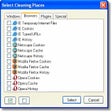
Browser Cleaner is a handy utility designed to securely delete all traces of your online and offline activity and free up space on your hard drive by removing thousands of unnecessary files. Browser Cleaner erases history of visited websites, clears browser temporary files and eliminates all other records of your Internet activity.
What's new in this version: Version 1.2 may include unspecified updates, enhancements, or bug fixes.
More Products to Consider
- Tune up and maintain your PC, clean registry easily.Download
Installed
Smart Install - Find and fix incorrect or obsolete information in the Windows r...Download
Installed
Smart Install - Clean up junk files and invalid Registry entries.Download
Installed
Smart Install - Keep your PC in tiptop shape and at peak performance.Download
Installed
Smart Install - Scan junk files and delete these junk files in Windows system.Download
Installed
Smart Install - Take full control over RAR and ZIP archives, along with unpacki...Download
Installed
Smart Install - Fix, speed up, maintain, and protect your PC.Download
Installed
Smart Install - Update PC drivers automatically using cloud technology.Download
Installed
Smart Install - Erase all traces of your activities in computer and increase th...Download
Installed
Smart Install - Move, resize, copy, explore, and recover hard disk drive partit...Download
Installed
Smart Install - Repair registry errors, remove "junk" files, and ensure your PC...Download
Installed
Smart Install - Take full control over RAR and ZIP archives, along with unpacki...Download
Installed
Smart Install - Configure and manage disk partitions, move, resize, copy and re...Download
Installed
Smart Install - Download and update all your Windows drivers, back them up and ...Download
Installed
Smart Install - Zip and unzip files instantly, protect them by encryption, or b...Download
Installed
Smart Install - Defragment your disks and improve computer performance and stab...Download
Installed
Smart Install - Reset Windows password in Windows 7/Vista/XP/2000 and Windows S...Download
Installed
Smart Install - Protect your sensitive files from revising or usurping by other...Download
Installed
Smart Install - Clean and speed up Google Chrome or other Chromium based browse...Download
Installed
Smart Install - Create a copy of your Windows 7 ISO file on removable media.Download
Installed
Smart Install - Extract URLs & favorites from AOL PFC files.Download
This download is served from an external site
closeNOTICE: This link will open a connection to a third-party site. CNET cannot ensure the security of software that is hosted on external sites.
Sponsored Products
Installed
Smart Install - Convert, exporter, and import your bookmarks.Download
Installed
Smart Install - Clean up duplicate files on your hard drive or corporate networ...Download
Installed
Smart Install - Protect your system from Trojan and spyware attacks.Download
Installed
Smart Install
-
All versions:
3.0 starsout of 2 votes
-
Current version:
3.0 starsout of 2 votes
-
My rating:
Write review
Results 1-2 of 2
-
"Works Perfect! - Not at all destructive!"
Version: Browser Cleaner 1.2
Pros
Works exactly as advertised!
This program is automatic, as soon as it has been thoroughly examined and all options reviewed!Cons
No cons at all.
This works perfectly!
The person who came against this program didn't check out the options, so heshe ran into trouble.Summary
This program requires some attention.
Don't just click the clean button after you install this!
This program is great for the person who knows exactly what they want deleted or removed.
The person who wrote a bad review for this has no one to blame but hisherself for having important information removed. -
"CAUTION - DANGEROUS, DESTRUCTIVE PRODUCT"
Version: Browser Cleaner 1.2
Pros
None - did not do as good a job as CCleaner.
Cons
WIPED OUT ALL OF THE BOOKMARKS IN MY FIREFOX BROWSER
Summary
I use Firefox 3.6; when I downloaded and tested this software it didn't seem to work very well so I uninstalled it. When I reloaded my Firefox browser all of my bookmarks were gone ... all of them. Because I had thought to make a backup copy of them a while back, I was able to do a partial restore but at this point I'm still trying to reconstruct/recover some of the more important ones I lost.
Add Your Review
Submit your reply
E-mail this review
Report offensive content
Previous Versions: