Used Zip Lock - HD Cool Wallpapers for Android?
Editors’ Review
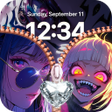
Zip Lock - HD Cool Wallpapers, developed by VIETBASE, replaces the standard Android lock screen with a zipper-style unlocking animation and provides a library of high-definition backgrounds. The app combines an interactive unlock gesture with optional sound effects and instant previewing, while exposing per-element controls for the zipper tab, row style, and color. It targets Android users who regularly change device appearance and prefer playful, theme-driven lock screens over static wallpapers.
What does the app change about the lock screen?
The app replaces swipe-to-unlock with a zipper animation, turning the unlock gesture into an animated sliding motion that can play optional sound effects during use. The zipper covers and then reveals the home screen as it opens, substituting the standard unlock flow. A preview mode lets users confirm visual and audio choices before making them active on the actual lock screen.
How much can you customize the zipper and wallpapers?
Customization centers on mixing zipper components and selecting backgrounds. The app lets users change the zipper tab, row style, and color, choose pendant shapes such as hearts or stars, and assign backgrounds from either the built-in HD library or the device gallery. Preview mode shows combinations before activation, and the library is organized into categories like anime, cars, nature, and abstract art with regular content updates.
Does the app affect battery life or phone performance?
Built to limit resource use during animations. The developer optimized the package for speed and describes it as lightweight so animations run smoothly without significantly impacting battery life or slowing device responsiveness. Optimization for modern Android helps preserve performance across a range of hardware, though specific behavior can depend on each device's capabilities and software build.
Is it straightforward to enable and compatible across devices?
Activation requires granting permissions and toggling an enable switch. After installation users must grant the app necessary permissions and turn on the 'Enable Lock Screen' option in settings to activate the zipper interface. The app accepts images from the device gallery and organizes wallpaper content by category. It targets Android devices and notes that specific version requirements vary by hardware, so compatibility can differ between phones and tablets.
Pros
- Realistic zipper animation replaces standard swipe-to-unlock
- Per-element zipper customization with instant preview mode
- Large HD wallpaper library with gallery import and categories
Cons
- Does not add authentication beyond the device's locks
- Requires granting permissions and enabling the lock-screen toggle
- Compatibility varies by Android version and device hardware
Bottom Line
Good fit for personalization, not a substitute for device authentication
The app suits personalization-minded Android users who enjoy playful, theme-driven lock screens and frequent wallpaper changes, offering an engaging surface for visual customization. It does not provide additional authentication beyond the device's own locks, because it is designed to operate alongside existing security measures. Consider this trade-off when prioritizing appearance over added access controls.
Used Zip Lock - HD Cool Wallpapers for Android?











